To select a compatible truck power window switch, use the truck brand only to enter the candidate range. Then verify the platform or generation, application market, LHD/RHD configuration, physical door position, switch role, rear connector and mounting, required functions and the complete OE reference. A brand match, similar front face or equal pin count is not a compatibility result.
This guide converts those fields into a repeatable procurement decision: shortlist a candidate, hold it for evidence, reject it when a decisive field conflicts, or approve it only within a defined vehicle configuration and product record.
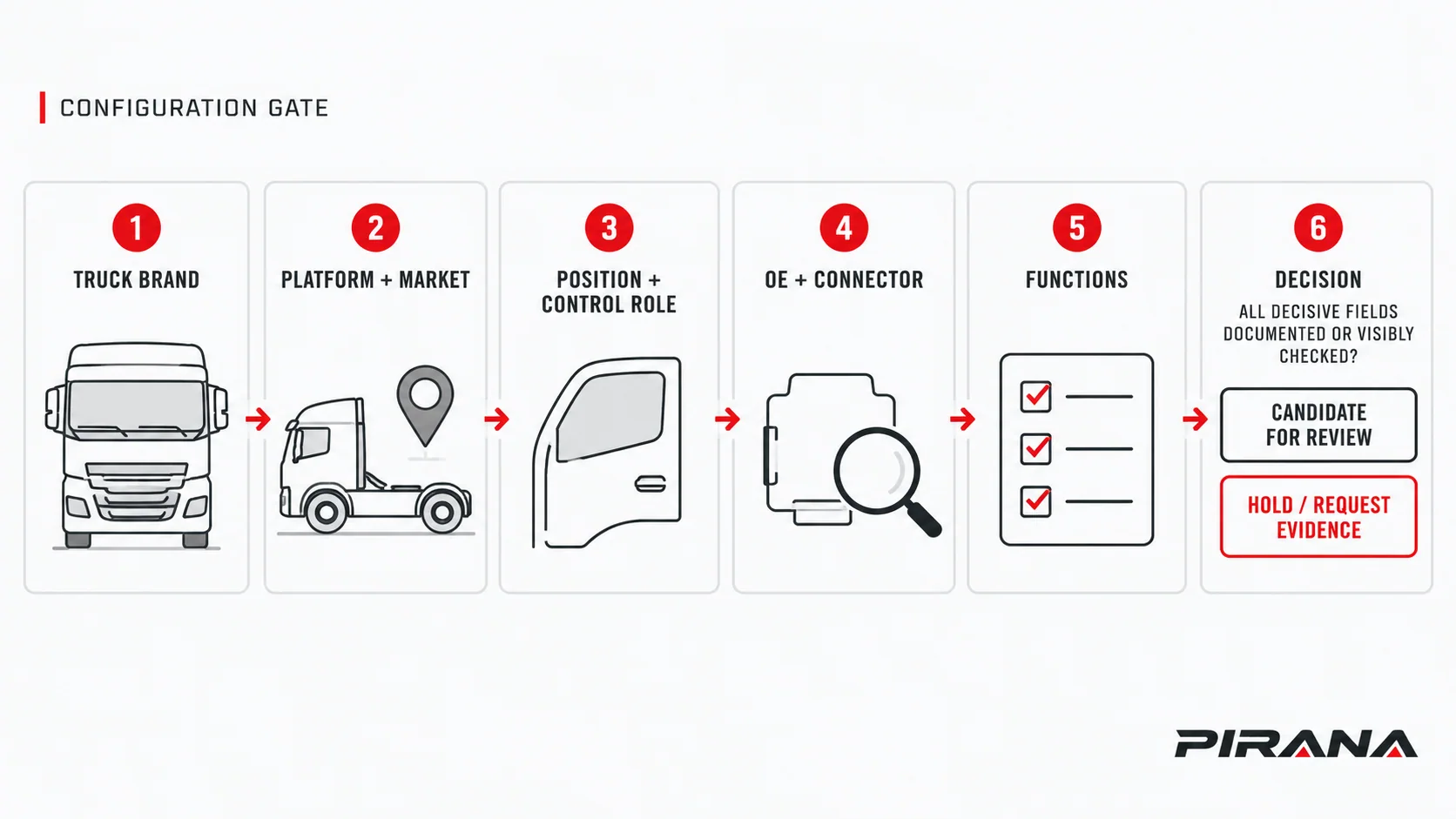
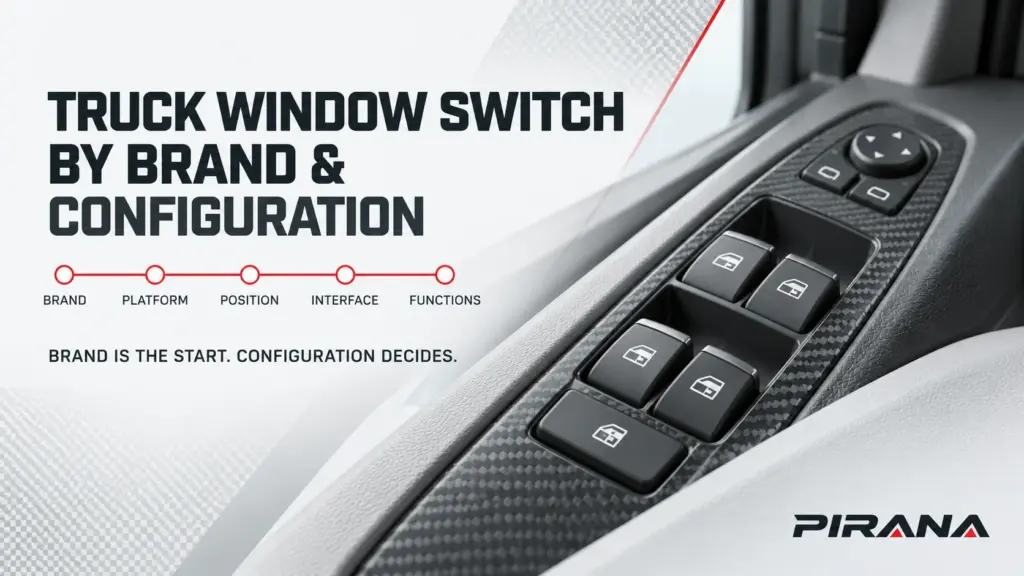
Select in this order: identity, position, interface, function
The useful unit for selection is not “a Volvo switch” or “a MAN switch.” It is one product version against one documented truck configuration. Move through four evidence groups in this order:
| Decision layer | Record these inputs | A brand-only selection misses |
|---|---|---|
| Vehicle identity | Make, series or platform, generation, build condition and application market | Different generations and regional configurations sold under the same broad model name |
| Physical position | LHD or RHD, physical left or right, door location and master or individual control role | Switches that look related but belong in another steering/door configuration |
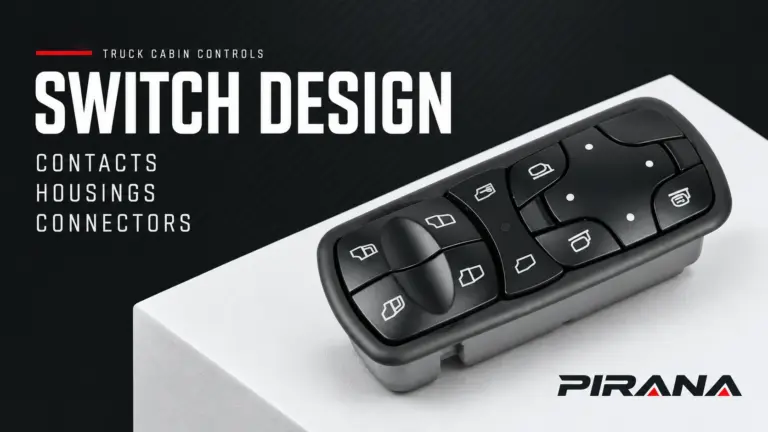
| Interface | Connector quantity and location, mating outline, keying, latch, cavities, populated contacts and mounting | A physical interface difference that a front photograph cannot reveal |
| Functions | Controlled windows, window lock, mirrors, illumination, one-touch or other automatic functions as applicable | Missing or mismatched controls that use the same visual family |
Only after those fields are tied to an exact OE reference and PIRANA product record should the buyer use the word “compatible.” Keep each source and its unresolved fields beside the decision.
Use brand as a range filter, not a fitment claim
The current PIRANA catalogue groups truck-switch candidates under several vehicle makes. That grouping is useful for discovery because it narrows a much larger catalogue. It does not erase the truck configuration checks.
For the five common brands in this guide, the current catalogue currently displays these candidate ranges:
| Truck make | PIRANA catalogue entry | OE reference and PIRANA part | Catalogue application shown | Year/status shown | What still needs to be established |
|---|---|---|---|---|---|
| Mercedes-Benz | HQ-6903 / A0035455913 | A0035455913, A0045455913, A0015451204, A0025455913, A0015455913, A0055452813 / HQ-6903 | Actros / Antos / Arocs / Axor | To confirm | Exact generation, production condition, position, connector, functions and vehicle-specific applicability |
| Volvo | HQ-6909 / 21628532 | 21628532, 22569484, 20752917 / HQ-6909 | FH / FM / FMX / NH, displayed as 2005-2012 | To confirm | Exact series and year mapping, build condition, market, position, connector and functions |
| MAN | HQ-6918B / 81258067093 | 81258067093, 81258067108 / HQ-6918B | TGS 2006-2021, TGX 2006-2021, TGM 2004-2021, EU | To confirm | Generation/configuration applicable to each listed range, position, connector and functions |
| Scania | HQ-6930 / 1421856 | 1421856 / HQ-6930 | Scania | To confirm | Platform, generation, position, connector, functions and the exact vehicle-side record |
| DAF | HQ-6921 / 1811131 | 1811131, 1736600, 18925436 / HQ-6921 | CF65, CF75, X105 | To confirm | Exact generation, production range, position, connector, functions and vehicle-side applicability |
These are PIRANA catalogue declarations checked on 22 October 2026, not independently validated fitment tables. The live records themselves state that catalogue application information is a reference rather than a guarantee of fitment.
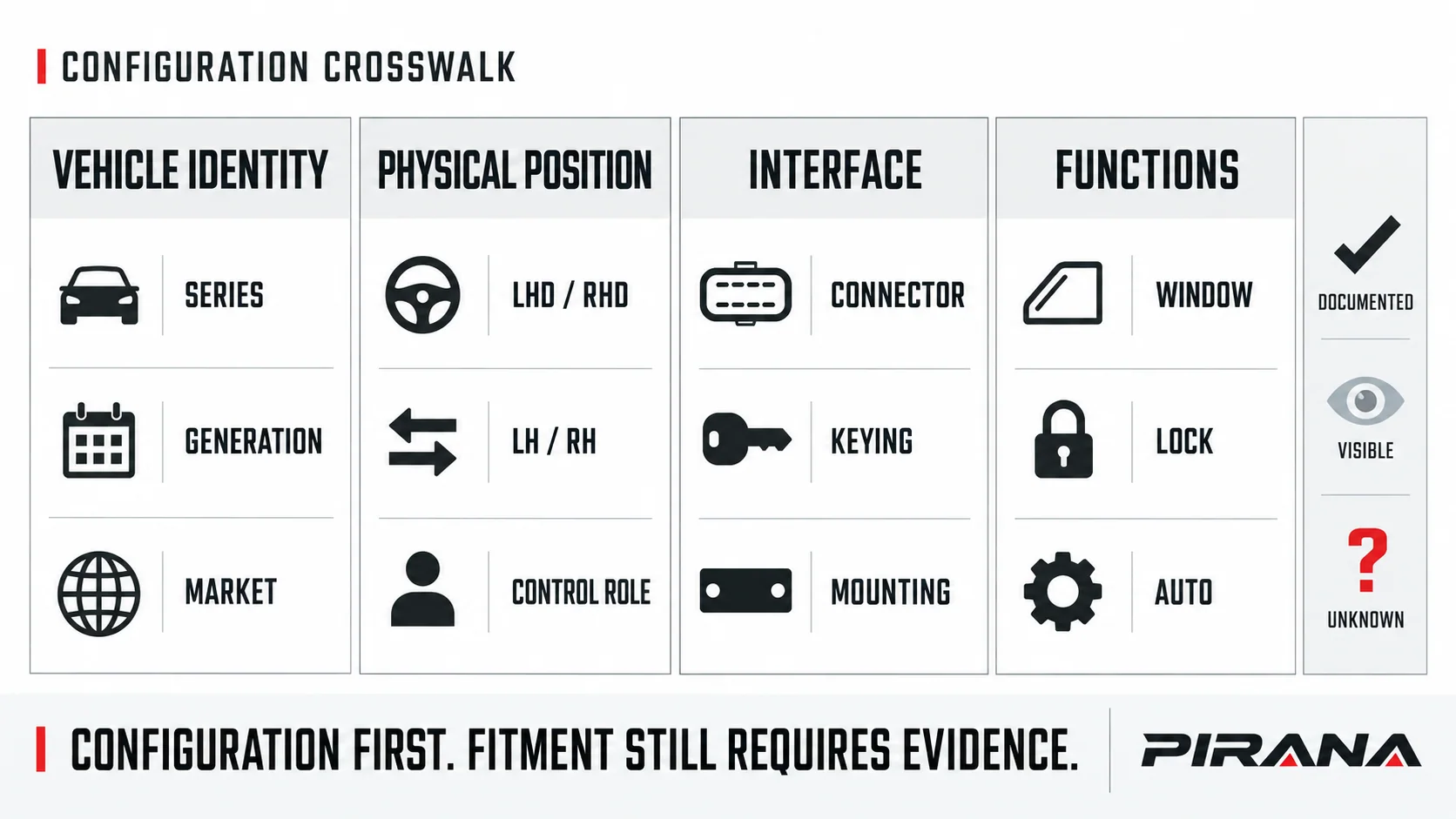
Separate truck identity, supplier identity and OE reference
These three fields do different jobs:
- The vehicle identity describes the truck configuration that needs the function.
- The PIRANA part number identifies the aftermarket product being considered.
- The OE reference identifies a vehicle-manufacturer catalogue relationship.
Do not shorten any reference to make a match appear. Preserve meaningful prefixes, suffixes and characters from the original label. Keep a normalized search copy separate when a catalogue needs one.
Numbers shown together also need a relationship. A seller may display an OE reference, another OE number, an OEM replacement number and a supplier cross-reference in one group. Record which is which and ask for the direction and conditions of any replacement relation. Nissan’s official record for 25401-EL30A, for example, lists 25401ED500 as replaced and states From 02/07. That is a Nissan-specific, directed and date-conditioned catalogue relation, not proof that every aftermarket item listing both numbers is interchangeable. Nissan: 25401-EL30A.
For the fuller process of reading labels and assembling a part-identification record, use the OE-number and connector identification guide.
Resolve the truck platform and application market
A phrase such as “Actros,” “FH,” “TGX,” “Scania” or “XF” may span more than one platform, generation or market specification. Treat a year shown in a seller catalogue as one input to verify, not as a universal range for every cab, steering position or equipment set.
Record:
- The truck make and the precise series or platform named in the vehicle documentation.
- The applicable generation, build date or other production break when the vehicle catalogue distinguishes it.
- The destination or application market. A model label is not by itself a guarantee that two markets use the same configuration.
- The cab and door configuration, including the door in which the switch is installed.
- Any equipment difference identified by the vehicle record, such as a function included only on a particular trim or option.
The PIRANA “EU 2006-2021” wording on the MAN entry is a useful example: it belongs to the displayed catalogue record and must not be detached from MAN, TGS/TGX/TGM, EU or the listed year range. Likewise, the Volvo entry combines several series on one record but still shows an unresolved year status. Neither observation establishes a PIRANA switch for an arbitrary truck of that brand.
Record position in three separate fields
Use separate fields so that one label cannot be mistaken for another:
| Field | What to record | Common error |
|---|---|---|
| Steering configuration | Left-hand drive (LHD) or right-hand drive (RHD) | Writing “driver side” without saying which steering configuration applies |
| Physical side | Left or right according to the vehicle manufacturer’s convention, plus front/rear door as relevant | Assuming left physically means driver side |
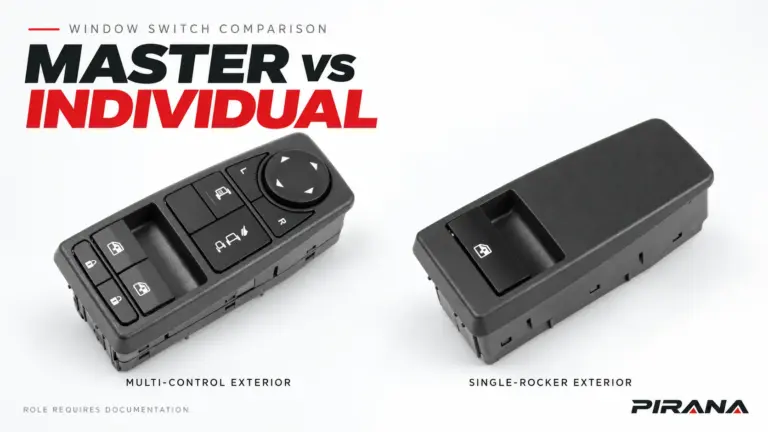
| Control role | Master switch or individual/local window control | Assuming a switch that controls several windows is interchangeable with a one-window switch |
A physical side and a control role answer different questions. So do LHD/RHD and LH/RH. Keep them separate in the enquiry record, photograph labels and supplier specification. The same truck family may have different switch assemblies for driver and passenger doors, and the door panel may contain additional lock or mirror controls that change the required function set.
Compare the connector as physical evidence
A front photograph is useful for recognition, but it cannot show the mating face, latch or contact population on the rear. Request or capture a complete set:
- The control face with readable markings.
- A straight-on photograph of the complete rear housing.
- A straight-on photograph of each connector opening.
- The mounting clips, locating features and housing shape.
- A closer view of the connector keying and latch.
- The original label showing the full OE reference.
Compare the original and candidate in the same orientation. Use a visible feature, such as a latch, as the orientation reference. Record the connector quantity, housing outline, keying, latch position, total cavities, populated contacts, mounting features and any documented dimensions.
Cavities and populated contacts are separate findings: the moulded opening may have more positions than the number of terminals actually fitted. Equal cavity count or a similar plug outline is a reason to keep checking. It does not establish terminal function, electrical compatibility or system approval.
Treat this as a screening method, not a pinout. Do not use a probe, jumper, bypass or resistance/voltage rule from this article. Where a truck uses a module-mediated or automatic window system, the applicable vehicle information determines the required signals and commissioning process.
Confirm functions and system requirements
Build a function list for the truck configuration before shortlisting a candidate. Include only applicable capabilities:
- Which windows the switch controls.
- Whether the assembly is a master or individual control.
- Window-lock, door-lock or mirror controls included in the assembly.
- One-touch, automatic down/up, anti-pinch or other documented automatic features.
- Illumination and any other visible control.
- Any vehicle-specific initialization, coding or diagnosis requirement identified in the applicable service information.
Function requirements do not follow automatically from a visible AUTO legend or the number of pins. Mitsubishi’s April 2021 technical bulletin for the 2022 Outlander describes a system in which the main switch, window motors and body control module communicate over LIN, with motor-integrated electronics taking part in anti-pinch and fail-safe behaviour. That is a bounded example of one passenger-car system, not a rule for every PIRANA switch or any truck. Mitsubishi TSB-21-42A-002, page 3.
Only with the applicable vehicle and product records can a buyer distinguish a direct switching function from a module-mediated function, or automatic operation from a manually operated switch. The replacement checklist owns preparation and post-replacement verification; this guide does not turn that task into a universal procedure.
Keep conflicting catalogue candidates separate
Similar products in the same brand group are not confirmed substitutes. Two current PIRANA Mercedes-Benz examples illustrate why the exact record matters:
- HQ-6903 displays A0035455913 / A0045455913 and additional references, with the application Actros / Antos / Arocs / Axor and year To confirm.
- HQ-6901 separately displays A9438200097 for Actros / Antos / Arocs / Axor, also with year To confirm.
The shared vehicle-family wording does not make the two switches substitutes. Each must be checked against the complete original reference, visible controls, rear interface, functions and applicable truck configuration.
| Evidence state | What it supports | Decision |
|---|---|---|
| Reference and catalogue application agree, but position/interface/function evidence remains incomplete | A plausible candidate exists | Hold for configuration evidence |
| Platform, position and function agree; visible interface features also agree | Candidate is sufficiently consistent to seek the controlled product/application record | Candidate for review |
| A decisive catalogue condition, reference, interface or function conflicts | The proposed match fails a required field | Request a different candidate |
| Applicable vehicle requirement and the exact PIRANA product/version are documented for the defined configuration; required approval checks are complete | A bounded application can be approved | Approved for that recorded configuration only |
The final approval scope must remain narrow. It should name the exact truck configuration, product version, position and required functions. It should not expand to every truck sharing the first model name, every year in a visible range or every product that uses a similar housing.
Use a repeatable compatibility record
Copy this record into the purchasing or technical file:
Truck make and series/platform:
Generation/build date or other production condition:
Application/destination market:
LHD or RHD:
Physical left or right; front/rear door:
Master or individual control role:
Complete OE/reference copied from the original part:
Original label photograph:
PIRANA candidate part number:
Catalogue application and year, with source/date:
Related references and their relationship/direction:
Connector quantity, housing/keying/latch, cavities and populated contacts:
Mounting and visible interface checks:
Required window/lock/mirror/illumination/automatic functions:
Vehicle or service-information constraints:
Unresolved evidence:
Decision: HOLD / CANDIDATE FOR REVIEW / DIFFERENT CANDIDATE / APPROVED FOR DEFINED CONFIGURATION
Required quantity and destination:
Use unknown when a field has not been established. A blank field is ambiguous; a named unknown is an actionable check. Keep later product changes, alternate references or configuration differences visible against the original record rather than overwriting it silently.
Submit the remaining checks with the candidate
The fastest useful enquiry to PIRANA is not a brand name and a product photograph in isolation. Send the candidate part number together with the truck configuration, complete original reference, front/rear/connector photographs, required functions, quantity and destination.
Start with the PIRANA power window switch catalogue to locate the candidate range, then submit the OE and vehicle configuration for a product-matching review. State which fields are still unknown so the reply can resolve them.
If the switch is being selected because the current window control has stopped working, keep the part search separate from diagnosis. The truck window-switch diagnosis guide explains why a symptom does not automatically identify a failed switch.
References
- PIRANA, Power Window Switch catalogue, accessed 2026-10-22.
- PIRANA, HQ-6903 / A0035455913, accessed 2026-10-22.
- PIRANA, HQ-6909 / 21628532, accessed 2026-10-22.
- PIRANA, HQ-6918B / 81258067093, accessed 2026-10-22.
- PIRANA, HQ-6930 / 1421856, accessed 2026-10-22.
- PIRANA, HQ-6921 / 1811131, accessed 2026-10-22.
- Nissan, Window Switch 25401-EL30A, accessed 2026-10-22.
- Mitsubishi Motors North America, TSB-21-42A-002: Updates to 2022 Outlander Power Window Control System, April 2021.
REFERENCED IN THIS GUIDE
Products mentioned in this article
These published catalogue references are included because they are discussed in this guide. A reference is a starting point for identification; confirm the exact OE number, connector and vehicle configuration before ordering.
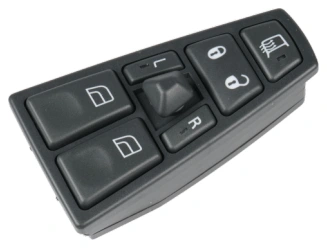
Power Window Switches
Power Window Switch — OE 21354601 / 21543897
PIRANA Part No. HQ-6908 · OE: 21354601 21543897 20752918 20452017 21277587 20455317 20568857 20953592
View product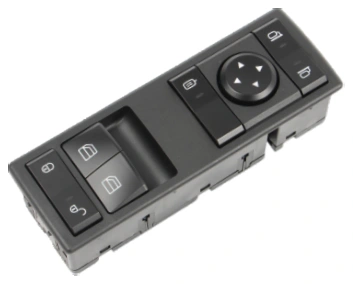
Power Window Switches
Power Window Switch — OE A9605450813
PIRANA Part No. HQ-6916 · OE: A9605450813
View product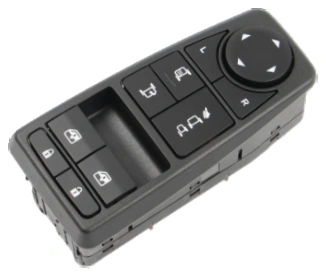
Power Window Switches
Power Window Switch — OE 81258067107 / 81258067092
PIRANA Part No. HQ-6918 · OE: 81258067107 81258067092
View product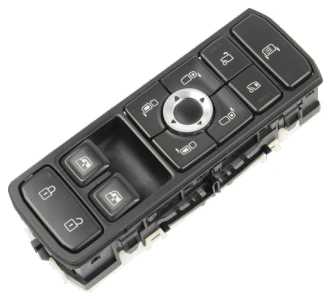
Power Window Switches
Power Window Switch — OE 2569026 / 2398124
PIRANA Part No. HQ-6934 · OE: 2569026 2398124
View product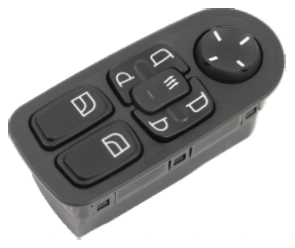
Power Window Switches
Power Window Switch — OE 1811131 / 1736600
PIRANA Part No. HQ-6921 · OE: 1811131 1736600 18925436
View product