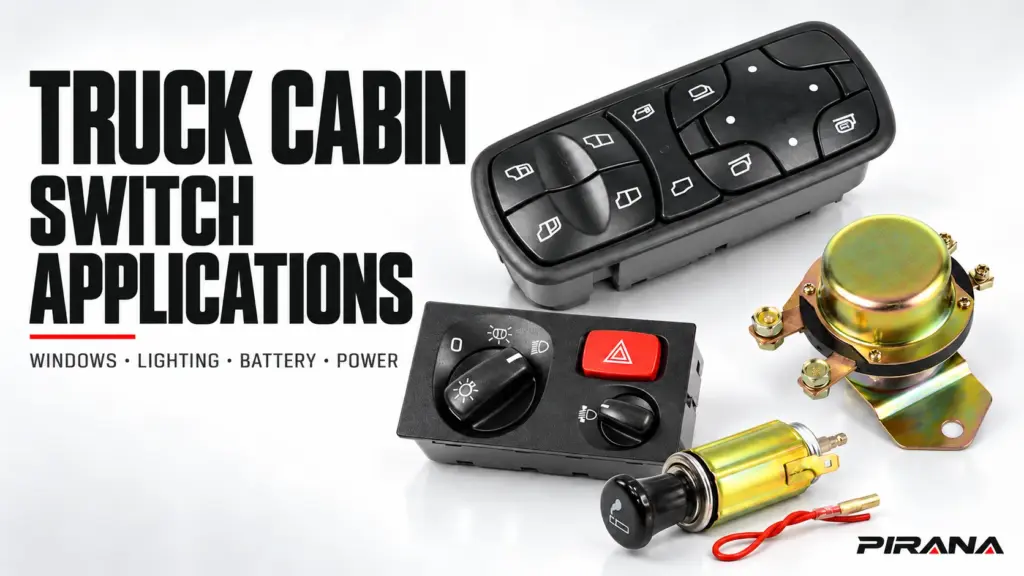
Truck cabin switch applications covered here include door and window functions, lighting selection and battery-disconnect control. Cabin power sockets and cigarette-lighter assemblies form a related power-accessory group. Start by identifying what the part does and which vehicle system it belongs to. A familiar button, connector or dashboard location does not establish the electrical role or the correct replacement.
For a distributor or buyer, the first useful result is the right product family and the right next check. A window-control request needs a different record from a battery-disconnect request. A socket enquiry needs its power supply and intended use identified. This guide maps those differences; the linked specialist guides handle detailed matching and diagnosis.
Map the function before choosing the product
Use the driver’s requested function as the entry point. Location helps describe the part, but the vehicle’s actual configuration determines its mounting and system role.
| Application | Part or assembly to identify | System boundary to confirm | PIRANA product route |
|---|---|---|---|
| Open or close a door window; operate integrated mirror or lock controls where fitted | Master or individual window-switch assembly | Which door and functions it controls, and how it interfaces with the vehicle | Power window switches |
| Select headlights, marker lights or other supported lighting modes | Lighting selector or the relevant separate control | Which functions belong to this assembly and which belong to another control or module | Headlight switches |
| Reduce parked-vehicle consumption or control a defined battery-fed circuit | The specified disconnect device or its control switch | What is actually disconnected, what remains supplied and whether the part is a command or load-carrying device | Battery switches |
| Connect an accessory or replace a cigarette-lighter component | Socket, lighter insert or complete assembly, as required | Supply domain, permitted load, intended use and mating interface | Vehicle power sockets or cigarette-lighter assemblies |
These four application groups define this guide’s scope. PIRANA’s product centre also includes other cab-control categories and applications outside the truck cabin. A category is a starting point for an enquiry, rather than proof that every listed part fits a particular truck.
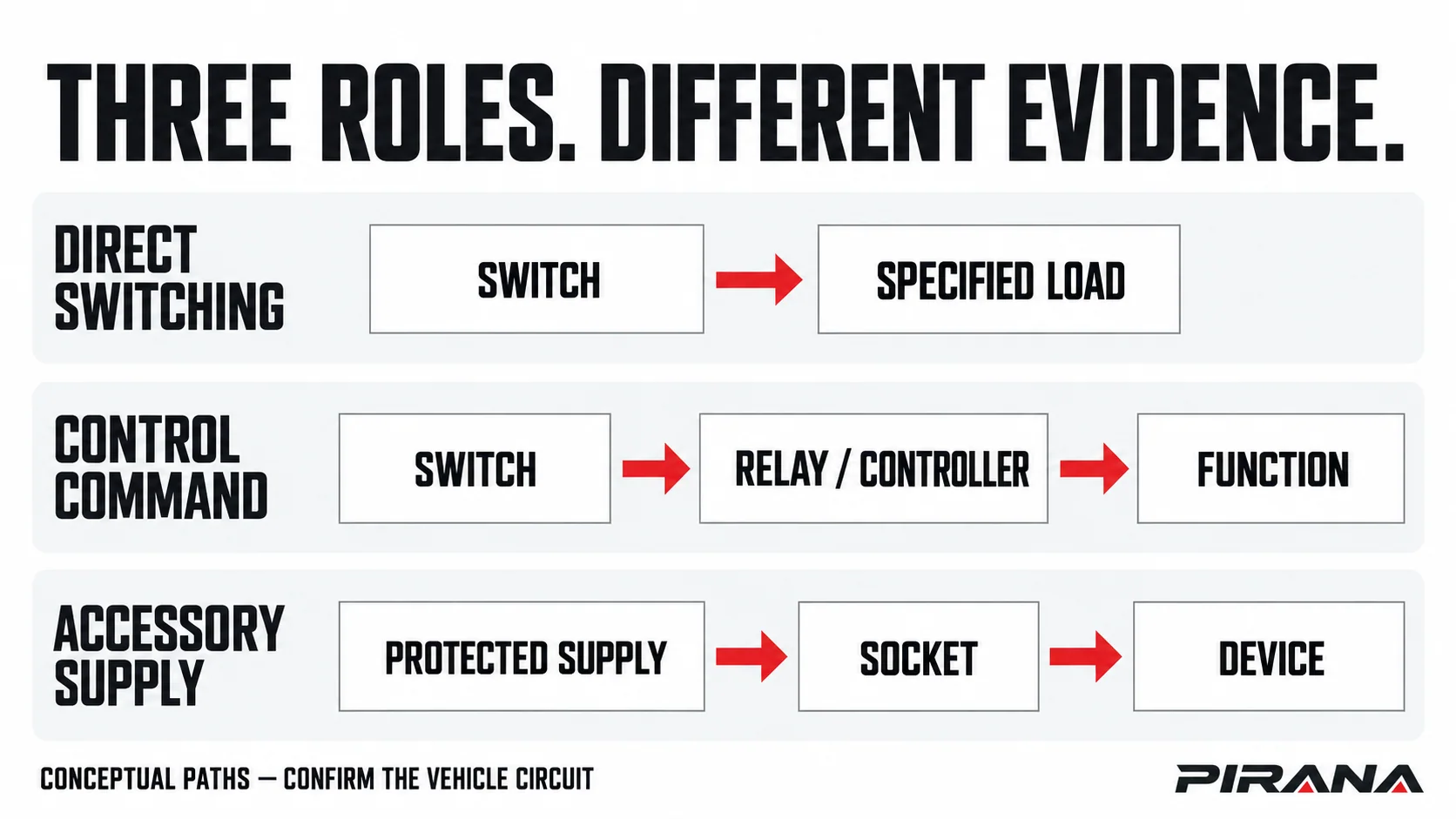
The electrical distinction matters as much as the family. Direct switching places a switch in a specified load path. A control command asks a relay or controller to perform a function. An accessory supply provides power through an outlet to a connected device. The actual vehicle document determines which path applies.
Door controls: identify the complete function set
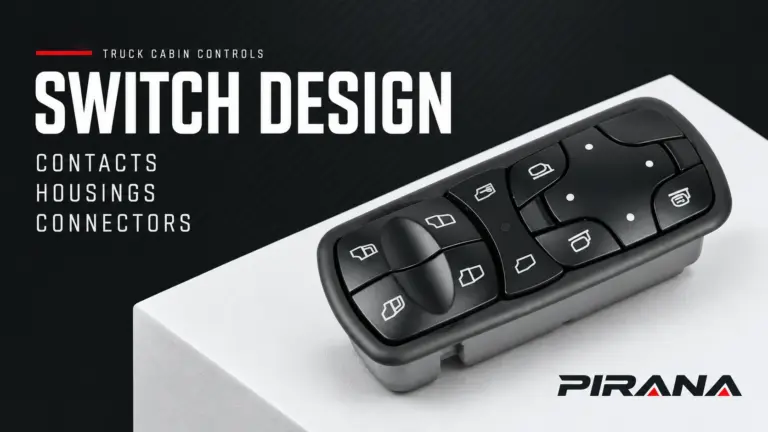
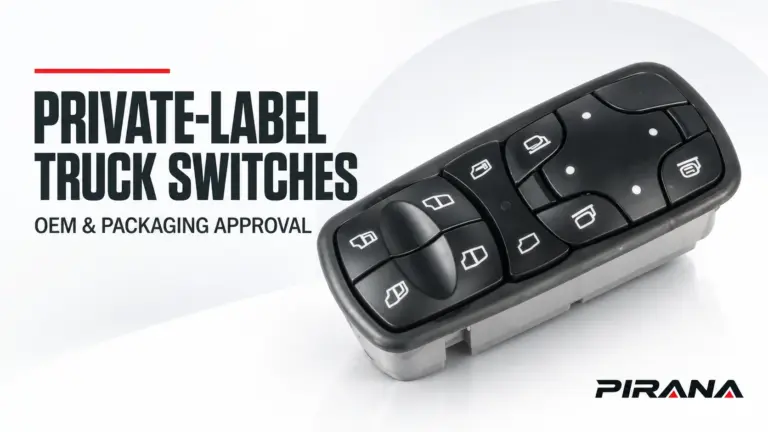
A window switch belongs to a window-control system. The switch assembly, harness, controller where fitted, motor and mechanical regulator have different jobs. Replacing the visible control cannot by itself establish the condition of the other components.
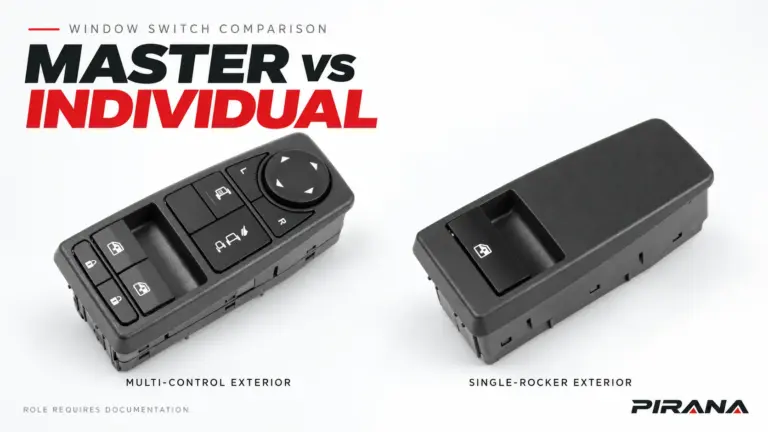
A multi-button door assembly may also contain mirror selection, mirror adjustment or door-lock controls. Record the functions required by the original vehicle instead of ordering by the largest window symbol on the face. An individual window control and a master assembly should remain distinct enquiries, even when both appear under the same catalogue family.
One documented example is the New Cascadia: its manual describes separate driver- and passenger-window controls at the driver’s door and a passenger-door control, alongside mirror and door-lock functions. This illustrates why the complete assembly matters; it does not establish a PIRANA replacement for that truck. DTNA, New Cascadia Driver’s Manual, sections 11.01–11.02.
For the application record, distinguish physical left/right position from driver/passenger position and record left-hand drive or right-hand drive separately. Note automatic window functions and other integrated equipment where present. A similar face does not confirm the same functions, interface or initialization requirements.
When the family is known but the exact version is not, continue with the truck-brand and configuration selection guide.
Lighting controls: separate the selector from the lamps
A headlight-switch enquiry concerns the control assembly and its supported functions. It does not identify every component responsible for illumination. The selector, steering-column controls, relays or control modules, harness and lamps must be distinguished in the vehicle’s own documentation.
Record the required selector positions and any integrated functions: for example, automatic lighting, fog-light selection, illumination adjustment or another control included in that particular assembly. Do not assume that two rotary switches with similar markings offer the same function set.
The New Cascadia manual provides a useful boundary example: lighting selection uses a rotary switch, while high-beam operation also involves a steering-column lever. Its arrangement belongs to that documented vehicle system, not every truck. DTNA, New Cascadia Driver’s Manual, section 5.02.
A replacement enquiry should therefore name the requested control, preserve the complete original-equipment (OE) reference and include the rear connector and mounting views. The truck headlight-switch matching guide covers that model-and-interface decision.
Battery controls: find out what the switch actually disconnects
“Battery switch” is not a complete circuit description. Identify whether the enquiry concerns a load-carrying disconnect device, a cab control for a separate device, or another specifically documented function. The control’s location does not settle that question.
DTNA’s 47X, 48X and 49X power-distribution information, for example, describes a contacting device in the battery cable access box and a separate optional cab load disconnect switch (CLDS). The cab control and the device handling the high-current connection occupy different places in that system. DTNA, General Information, document 0000107349.
A disconnect control in OFF is not evidence that the whole vehicle is isolated for maintenance. The Cascadia CLDS documentation explicitly states that its OFF position does not disconnect the battery-to-starter connection. Use the applicable vehicle service-isolation procedure before work; this application map supplies no disconnection sequence. DTNA, Cab Load Disconnect Switch, document 0000111663.
For a sourcing enquiry, identify the device’s documented role, the circuits in scope, the mounting and connection arrangement, and the required duty from the applicable specification. Keep parking-load control, service isolation and emergency shutdown as separate requirements unless the vehicle documentation explicitly connects them.
Likewise, a low-voltage battery-control part must not be treated as an electric truck’s high-voltage service disconnect. An emergency or high-voltage request needs the exact vehicle documentation and qualified support before a product recommendation.
Cabin power accessories: identify the socket and its supply
A power socket provides an interface for a connected device. A cigarette-lighter insert is a particular load used with a suitable assembly. Establish whether the buyer needs the insert, receptacle, connector or complete assembly before comparing products.
The New Cascadia manual distinguishes power outlets from an optional outlet-and-cigarette-lighter arrangement. That is a useful reminder to specify the actual item being ordered. DTNA, New Cascadia Driver’s Manual, section 11.03.03.
Confirm the supply at the relevant outlet, the product’s documented rating, the connected device’s requirement, the mounting and terminals, and the vehicle’s circuit protection. A truck’s nominal electrical system does not by itself settle every accessory supply or component rating. An opening that accepts a plug also does not establish approval for a heating insert or a higher accessory load.
Ignition-dependent supply, parked-vehicle supply and power-management behaviour are application details to verify. They should not be inferred from the trim panel or a catalogue photograph. An accessory enquiry needs the specified supply arrangement rather than an assumed spare connection.
The 12V-versus-24V verification guide handles the deeper distinction between system context, circuit role and a component’s rated interface.
The same cabin function can need a different version
“Same model” and “same job” can still leave decisive differences unresolved. Use the following distinctions to decide which evidence is missing, without turning the overview into an unverified fitment table.
| Application detail | Why it changes the enquiry | Evidence to retain |
|---|---|---|
| Steering configuration and physical position | Driver/master role and left/right location are different identifiers | Vehicle configuration and original mounting position |
| Build, generation, market and cab equipment | One model family can have different control layouts and equipment | Applicable vehicle record and complete part reference |
| Integrated functions | A housing can combine several controls, so a window-only or light-only description can omit required features | Original function list and supported product specification |
| Command versus load duty | Similar-looking controls can serve different electrical roles | Vehicle circuit description and proposed part’s documented interface |
| Socket or lighter purpose | The required insert, receptacle and supply must agree | Assembly identity, intended device and relevant supply specification |
| Parked-use or disconnect requirement | A label such as “battery off” does not define every circuit affected | Vehicle-defined switching scope and operating/service documentation |
Use documentation for the actual vehicle when it is available. Volvo Trucks, for example, offers Driver Guide access by chassis number and separately provides demonstration trucks for users without a chassis number. A demonstration helps explain a system; it should not be substituted for the requested truck’s configuration. Volvo Trucks, Driver Guide.
The same separation applies to supplier evidence: an OEM document describes the vehicle requirement, while a PIRANA product record must establish the proposed part’s characteristics and application. One cannot fill an evidence gap in the other.
Choose the next guide from the unanswered question
Once the functional family is clear, move to the resource that owns the remaining decision.
| What is still unknown? | Useful next resource |
|---|---|
| Which window-switch reference is on the original part? | Identify a truck power window switch by OE number |
| Which window-switch version belongs to the truck configuration? | Truck-brand and configuration selection guide |
| Does a headlight-switch candidate match the model and rear interface? | Headlight-switch matching guide |
| Does a voltage label establish the required component duty? | 12V-versus-24V verification guide |
| Has the control failed, or does the symptom come from another part of the system? | Truck window-switch diagnosis and next steps for window symptoms; applicable vehicle diagnostics for other systems |
A reported symptom identifies a system to investigate. It does not prove that the visible switch has failed. For example, “the window does not move” and “the outlet has no power” are different starting points, each requiring its own circuit and component evidence. Keep a replacement enquiry separate from an unconfirmed diagnosis.
Send an application record with the enquiry
A useful first handoff is short enough to complete and precise enough to direct the next question. Mark an unknown field explicitly rather than filling it from a similar-looking listing.
Requested function and product family:
Truck make / series / generation or build range:
Market / cab and relevant equipment:
Steering configuration / physical mounting position:
Complete original OE or current part reference:
Required functions and any integrated controls:
Circuit role: direct switching / command / accessory supply / unknown
Vehicle document or part record used:
Front / rear / connector / mounting photos available:
Unresolved application or rating question:
Quantity and delivery country:
For a battery-control request, add what the vehicle documentation says is disconnected. For a socket request, add the intended use and documented supply requirement. These fields make the two enquiries materially different even when the buyer starts with the same truck model.
Send the record through the PIRANA quotation route. The next step should resolve the named gap and identify a defensible candidate for review. A product-family match remains the start of that process.
References
- Daimler Trucks North America, New Cascadia Driver’s Manual, STI-500-8, revised 3 May 2024; sections 5.02, 11.01–11.02 and 11.03.03.
- Daimler Truck North America, 47X, 48X and 49X Driver’s Manual: General Information, document 0000107349, topic published 21 January 2025.
- Daimler Truck North America, Cascadia Driver’s Manual: Cab Load Disconnect Switch, document 0000111663, manual published 11 February 2025.
- Volvo Trucks, Driver Guide, accessed 22 October 2026.
REFERENCED IN THIS GUIDE
Products mentioned in this article
These published catalogue references are included because they are discussed in this guide. A reference is a starting point for identification; confirm the exact OE number, connector and vehicle configuration before ordering.
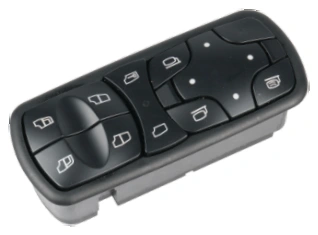
Power Window Switches
Power Window Switch — OE A9438200097
PIRANA Part No. HQ-6901 · OE: A9438200097
View product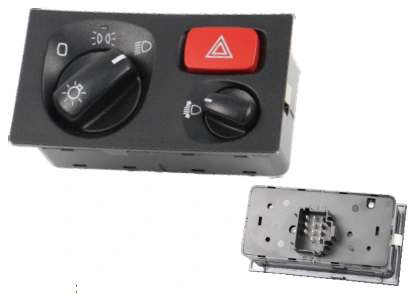
Headlight Switches
Headlight Switch — OE 1540672 / 1900316
PIRANA Part No. HQ-6938 · OE: 1540672 1900316
View product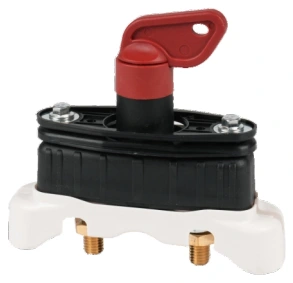
Battery Switches
Battery Switch — OE 21243844 / 20514309
PIRANA Part No. HQ-6612 · OE: 21243844 20514309 21199003 5010480868 7421199003
View product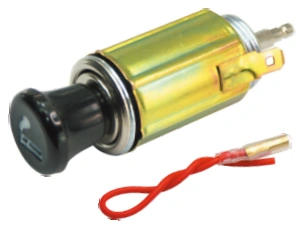
Auto Cigarette Lighters
Auto Cigarette Lighter — HQ-6101
PIRANA Part No. HQ-6101 · OE: Confirm reference
View product