A truck power window switch replacement is complete only when four records agree: the vehicle requirement, the exact replacement identity, the installation and commissioning authority, and the result of every required function test. A connector that resembles the original and a window that moves once are useful observations, but neither proves the job can be released.
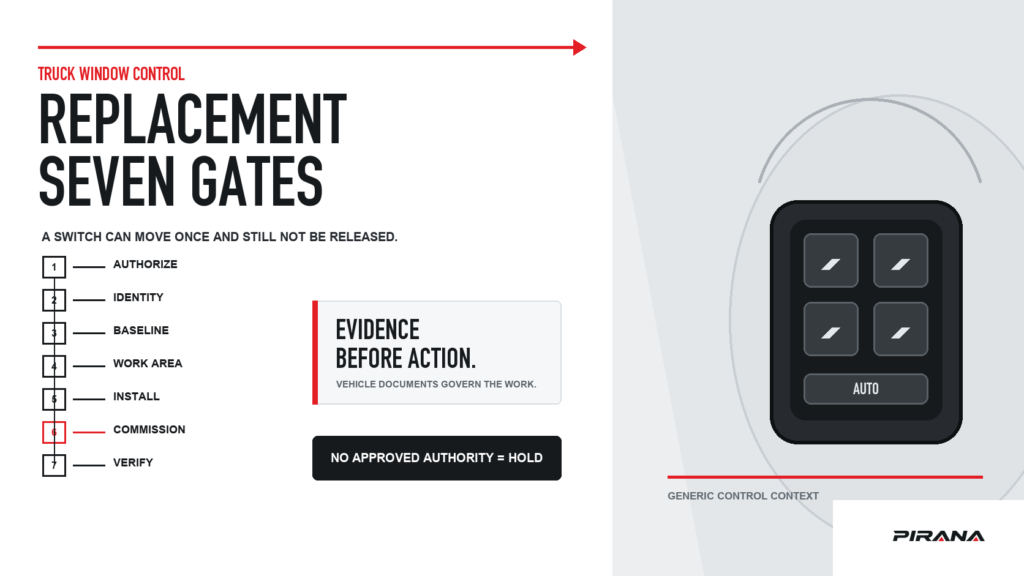
Use the seven gates below in order. Gates 1–4 establish whether the switch may be removed. Gate 5 controls the installation. Gates 6–7 decide whether the truck can leave the work area. A missing decisive record is a hold, not a note attached to a guessed procedure.
This page is an evidence and acceptance framework, not a universal service manual. Removal steps, fastener torque, battery isolation, tool requirements, pin tests, trim release, initialization and coding depend on the truck, its build configuration and its current service information. Those instructions must come from the applicable vehicle documentation.
The replacement record that must agree
The four evidence sets answer different questions. Keep them together for the exact job:
| Evidence set | Question it answers | What it does not prove |
|---|---|---|
| Vehicle requirement | Which switch role, configuration and functions does this truck require? | That a proposed aftermarket switch meets them |
| Replacement identity | Which exact PIRANA or supplier part, OE reference and revision is being installed? | That a number match preserves every vehicle function |
| Installation and commissioning authority | Which current instructions govern removal, installation, initialization or coding? | That one model’s procedure applies to another |
| Final function result | What happened for every required function after the work? | That an untested function works, or that a one-time result predicts service life |
The replacement file starts before the old switch is removed because removal can erase information. Photograph the original label, control face, complete rear housing and connector before disturbing the part. Also record the truck’s make, series or platform, production information, market, LHD/RHD configuration, physical left/right and front/rear position, master or individual role, and required functions.
The OE-number and connector identification guide explains how to read and preserve the markings. The brand and configuration selection guide organizes the vehicle information needed before a candidate is approved. This replacement checklist begins with that information already available.
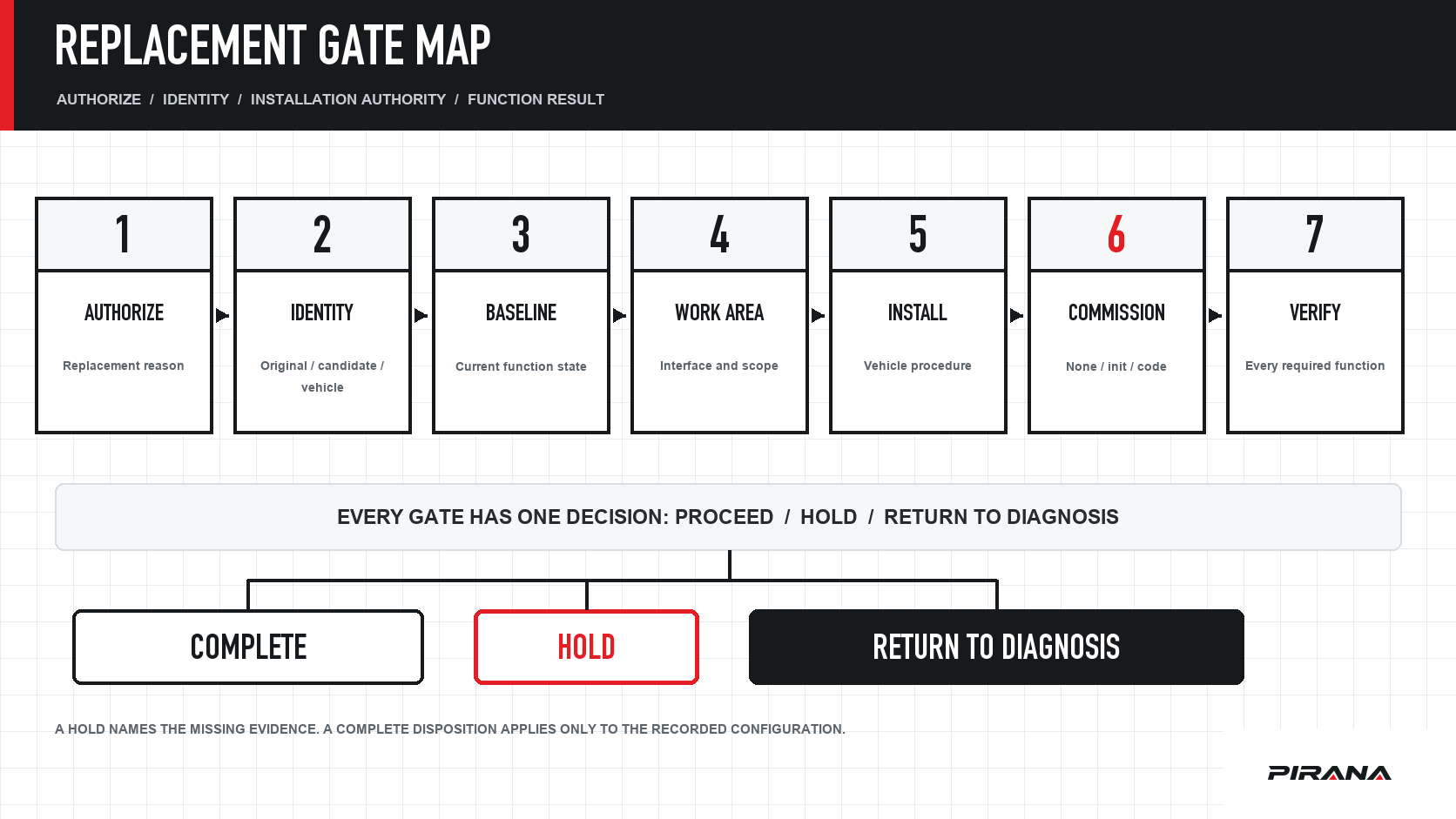
Gate 1 — Authorize the replacement
Before purchasing or removing a switch, record why replacement is appropriate.
“The window stopped working” is a symptom. It has not yet identified the switch as the failed component. Depending on the truck and system, the result may involve supply or ground, a window-lock state, harness or connector retention, the switch, the motor or regulator, a door or body controller, communication, lost learning or another vehicle-specific condition. The truck window switch diagnosis guide owns that separate discrimination task.
A switch-replacement reason should identify:
- the observed symptom and whether it affects one direction, one window, several windows or the complete system;
- the relevant check or diagnostic result;
- the vehicle-side or system causes still unresolved;
- why the evidence now supports replacing this switch assembly;
- whether the truck is operational, restricted or waiting for repair.
Connector evidence belongs here as well. In a technician case reported by Subaru in its August 2018 TechTIPS, an inoperative left-rear window on a 2014MY Forester was traced to the driver’s-door master-switch connector. Its harness-side secondary lock was partially dislocated, so terminals held by their individual anchors could still back away from the switch pins. Relocking the connector restored operation and the switch was not replaced. Subaru August 2018 TechTIPS, page 1.
That is one documented passenger-car case, not a probability statement about truck failures. Its practical lesson is that a switch part number is not a diagnosis: check the harness-side interface before treating the part as failed.
Proceed when: the replacement reason, the affected function and the evidence that supports replacement are recorded.
Hold or return to diagnosis when: the symptom remains unexplained, the complaint changes during the check, or the only justification is that another switch “looks the same.”
Gate 2 — Compare three identities
Place three records side by side:
- the original switch as photographed and marked;
- the replacement candidate as specified by PIRANA or the supplier;
- the vehicle/application requirement from an appropriate parts or service source.
Do not collapse these into one number. An OE reference identifies the vehicle-manufacturer part relationship being cited. A PIRANA or other supplier number identifies that supplier’s product record. An application record describes the vehicle requirement. The relationship among the three must be supported separately.
| Identity field | Original switch | Replacement candidate | Vehicle requirement |
|---|---|---|---|
| Complete OE reference and visible revision | Copy from the label or part, preserving prefixes and suffixes | Record the published mapping and product revision | Confirm the reference applies to this vehicle configuration |
| Supplier part number | Record the removed part if marked | Record the exact PIRANA SKU and approved version | Not applicable |
| Truck platform and production information | Do not infer from appearance | Confirm the proposed record’s stated scope | Resolve model year, build break or other required identifier |
| Market and steering configuration | Record what the truck is | Confirm the candidate is specified for that configuration | Treat market variants separately |
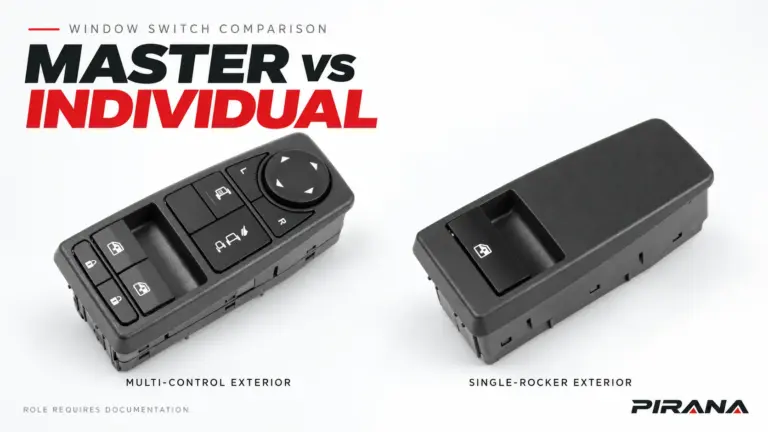
| Physical position and control role | Record left/right, front/rear and master/individual only after applying the manufacturer convention | Confirm the candidate serves that position and role | Check the parts record rather than converting “driver side” to “left” automatically |
| Connector, mounting and control face | Record visible features | Compare the product drawing or approved photographs | Use when the parts source shows they distinguish variants |
| Required functions | Record only functions the truck actually has | Confirm the approved product definition covers them | Confirm each function belongs to the vehicle configuration |
PIRANA’s catalogue asks buyers to confirm the connector, switch position and required functions before requesting supply. That is a useful minimum for a quotation, but it still does not make the listing self-proving. PIRANA power window switch catalogue.
The replacement decision is not:
- “Same pin count, therefore compatible.”
- “The connector plugs in, therefore every function is retained.”
- “The control face looks identical, therefore the rear housing and electrical interface match.”
- “The seller lists the truck model, therefore every year, market, side and option is covered.”
Proceed when: every decisive identity field either matches the approved application record or is resolved by a documented relationship.
Hold when: the original reference is illegible, the candidate revision is unclear, the vehicle configuration is incomplete, or the relationship among multiple numbers is undocumented.
Gate 3 — Record the pre-removal baseline
Before removal, record what the truck does now. This baseline prevents a pre-existing fault from being mistaken for a replacement defect.
Use the truck’s actual functions, not a generic list. Depending on the application, the baseline may include:
- each window and direction controlled by the switch;
- the window-lock state and whether lock is being tested or removed from the test;
- integrated door-lock or mirror functions where present;
- illumination and indicator state;
- automatic up/down, anti-pinch or other documented assisted functions;
- other controls in the same assembly;
- any initialization warning or stored vehicle diagnostic state that the service information requires.
For each item, record working, not working, not applicable, or not yet established with a short observed result. “Everything else works” is too vague to assess after installation.
The baseline needs a system boundary. In the power-window system described for the 2022 Mitsubishi Outlander, the main switch, motors and body control module exchange signals over LIN, and anti-pinch and fail-safe behavior involve the motor-integrated control electronics. Mitsubishi TSB-21-42A-002, page 3. This example establishes why the switch cannot be credited with every function merely because basic movement returns.
Proceed when: the current function state and system boundary are recorded well enough to compare after installation.
Hold when: the baseline cannot be established, the affected door or module is already damaged, or an unresolved vehicle fault could make the final result uninterpretable.
Gate 4 — Inspect the work boundary
Only now check the area that the controlled procedure will require you to enter.
Observe the switch housing, door trim or panel, mounting features, harness routing and both sides of the connector. Photograph defects before work begins. Look for evidence the service document tells you to assess, such as damage, contamination, heat effects, loose retention or prior repair.
This gate does not authorize probing. Exact terminal tests require the applicable schematic, connector identification, tool and procedure. Avoid pulling on the harness to test a terminal. In the Subaru example above, individual terminal anchors could hold while the connector’s secondary locking feature was not fully seated; reasonable visual observation and the documented connector check can reveal that class of problem without inventing a universal electrical test.
Determine whether the vehicle procedure requires any special state before removal, such as an isolation step, a trim sequence or an initialization prerequisite. Use that procedure, not a similar model’s sequence.
Proceed when: the work area, movable components, connector condition and required tools are understood, and the current vehicle procedure is available.
Hold when: hidden damage changes the scope of work, the connector state cannot be assessed safely, or the available instructions do not cover the exact truck configuration.
Gate 5 — Remove and install under the vehicle procedure
This gate links two authorities:
- the current vehicle service information, which controls the physical work;
- the approved replacement record, which controls the part identity and configuration.
Follow the vehicle procedure for trim release, securing hardware, electrical isolation, connector release, mounting and installation. Use its torque values, tool requirements and handling precautions where specified. Do not infer a torque from the size of a fastener or copy a value from another truck.
Keep the original part and packaging labeled until the job is accepted. If installing a PIRANA item, retain the SKU, batch or shipment identifier where available, OE reference, part label and connector photographs with the replacement record. The power-window-switch manufacturing page explains why PIRANA keeps the product number, OE cross-reference, approved sample and packaging version together. This is a traceability action, not a claim that the new switch fits every application sharing the number.
Proceed when: the replacement is seated, secured and routed exactly as required by the applicable procedure, and the identity remains traceable to the job.
Hold when: the new part does not seat without force, the connector or locking feature differs from the approved record, trim or mounting prevents the documented installation, or the procedure requires a component or tool that is unavailable.
Do not use a successful test as permission to disregard an installation conflict. A switch can energize a circuit in one position and still be wrong for the truck.
Gate 6 — Establish the commissioning requirement
After installation, determine which commissioning category applies:
| Category | Evidence required | Release rule |
|---|---|---|
| No additional commissioning | The current vehicle instructions and approved product record make the applicable state clear | Proceed to Gate 7 |
| Initialization or relearning | The current vehicle instructions name this vehicle and function | Perform and verify only that documented procedure |
| Coding, configuration or diagnostic commissioning | The current vehicle instructions require it and identify the tool and process | Complete and verify before function acceptance |
| Unknown | The available documents do not establish the requirement | Hold and obtain the applicable information |
These categories are not interchangeable. Initialization commonly restores or establishes a learned position or operating state. Coding changes a module’s software configuration. A replacement may require one, both or neither depending on the vehicle and system.
Do not infer an exemption because the switch has no complex electronics, and do not infer a required reset because one model uses it. Subaru’s service information 07-93-15 for specified 2015-MY-and-later Legacy/Outback applications with the Auto-Up/Down feature says that battery disconnection disables that function, that the switches still control the windows, and that initialization of the applicable front-door switches must occur before replacing the assemblies. It also records that the vast majority of returned switch assemblies were not failed as claimed. Subaru Service Information 07-93-15, page 1.
That document supports a bounded model-specific warning. It does not supply a universal truck reset. Preserve the vehicle document used in your replacement record.
Proceed when: the requirement is known to be inapplicable, or the specified initialization or coding process has completed and its own completion check passes.
Hold when: commissioning is required but incomplete, the operator lacks the specified tool, or no applicable instruction has been identified.
Gate 7 — Accept every required function
Installation is not acceptance. Use the baseline from Gate 3 as the test matrix.
Test only functions that belong to this truck and switch, and use the vehicle instructions for any test that requires a particular operating state, window position or initialization. Record what you saw.
| Function | Evidence of acceptance | Do not mark pass when |
|---|---|---|
| Window movement | Each direction and affected window respond as expected | Only one direction or one control location was tried |
| Window lock | The documented affected controls change state while other controls remain consistent with the vehicle design | “Lock feels different” is the only observation |
| Integrated controls | Each documented door-lock, mirror or other control operates through its expected function | The function is present visually but was not exercised |
| Illumination and indicators | Required lighting or state indication appears under the specified conditions | The engine or lighting state was not recorded |
| Automatic function | The vehicle-specific test completes and produces the specified result | Ordinary manual movement is treated as proof of automatic operation |
| Anti-pinch or assisted function | The documented system check, if safe and applicable, passes | The part is assumed to retain or add the function without evidence |
| Diagnostic or fault state | The required post-repair scan or state check is clear | A lamp going off is substituted for the required diagnostic evidence |
| Physical restoration | Trim, fasteners, connectors and access panels are restored as specified | Loose trim or an unrecorded missing fastener remains |
An unverified function is not a pass with a footnote. If the function cannot be tested at the current stage, mark hold, name the missing condition or document, and prevent an overstated final disposition.
If one basic movement works but an automatic or anti-pinch function does not, return to Gates 3 and 6 before condemning the switch. The baseline may have been incomplete, commissioning may be unfinished, or the vehicle system may still have another fault.
Reusable replacement and verification record
Copy this record into the repair order, incoming project file or supplier report. Use unknown instead of a blank when a field still needs evidence.
Replacement date / person completing the record:
Truck make, series or platform / production information:
Market / LHD or RHD / physical side / front or rear:
Switch role and complete required function list:
Original OE reference and visible revision:
Original label, control face, rear housing and connector photographs stored:
Replacement supplier / PIRANA part number / approved revision:
Replacement OE mapping and application source:
PIRANA or supplier record used:
Reported symptom and evidence supporting replacement:
Original switch failure status / unresolved system checks:
Applicable vehicle removal and installation procedure (document and version/date):
Applicable initialization, coding or commissioning instruction (document and version/date):
Gate 1 authorization: PASS / HOLD / RETURN TO DIAGNOSIS
Gate 2 three-way identity: PASS / HOLD / RETURN TO DIAGNOSIS
Gate 3 pre-removal baseline: PASS / HOLD / RETURN TO DIAGNOSIS
Gate 4 work-boundary inspection: PASS / HOLD / RETURN TO DIAGNOSIS
Gate 5 controlled installation: PASS / HOLD / RETURN TO DIAGNOSIS
Gate 6 commissioning: PASS / HOLD / RETURN TO DIAGNOSIS
Function results:
  Function 1 / result / evidence:
  Function 2 / result / evidence:
  Function 3 / result / evidence:
  Additional documented functions / result / evidence:
Physical restoration result:
Diagnostic or state result required by the vehicle information:
Overall disposition: COMPLETE / HOLD / RETURN TO DIAGNOSIS
Deciding gate or function:
Documents or tests still required:
Next review date or release authority:
Decide between complete, hold and return to diagnosis
| Final disposition | Use it when | Release action |
|---|---|---|
| Complete | All seven gates pass for the recorded truck and function set, including required commissioning and restoration | Release only the recorded configuration and function scope |
| Hold | A decisive document, tool, function test, vehicle state, part record or installation check is unfinished | Keep the scope controlled and complete the named evidence |
| Return to diagnosis | The replacement reason was not supported, the result reveals another system fault, or the new part cannot explain the remaining symptom | Stop repeating symptom-led part replacement and use the documented diagnostic path |
“Complete” is not the same as “this switch fits all trucks using the same OE number.” It means this specific replacement job has met its evidence standard on the recorded date.
The six-gate quality inspection guide remains the owner for checking a supplier sample or incoming lot. This page checks the installed result after an approved replacement enters a vehicle. The two records work together: one supports the purchase decision, and this one supports the vehicle-release decision.
Prepare a quotation without inviting a fitment guess
If the missing item is the replacement candidate, collect the information that can actually support a review:
- complete OE reference and a photograph of the original label;
- PIRANA or supplier part number if one is proposed;
- truck make, series or platform and relevant production information;
- market, LHD/RHD, physical installation position and master/individual role;
- front, full rear housing and connector photographs;
- required function list and the vehicle document that defines it;
- expected quantity and destination;
- the unresolved field that prevents approval.
Use the power-window-switch catalogue to locate a candidate and the quotation route to submit the configuration. A complete request supports matching review; it does not turn an unverified number into automatic fitment approval.
References
- PIRANA, Power Window Switches, catalogue guidance checked 22 October 2026.
- Subaru of America, Service Information 07-93-15: Unnecessary Power Window Switch Replacements, 23 July 2015, page 1.
- Subaru of America, August 2018 TechTIPS newsletter, QMR of the Month, page 1.
- Mitsubishi Motors North America, TSB-21-42A-002: Updates to 2022 Outlander Power Window Control System, April 2021, page 3.
REFERENCED IN THIS GUIDE
Products mentioned in this article
These published catalogue references are included because they are discussed in this guide. A reference is a starting point for identification; confirm the exact OE number, connector and vehicle configuration before ordering.
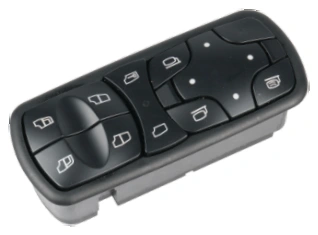
Power Window Switches
Power Window Switch — OE A9438200097
PIRANA Part No. HQ-6901 · OE: A9438200097
View product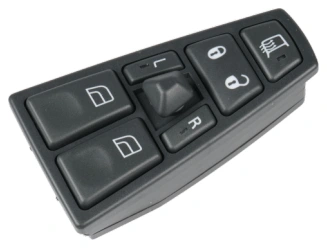
Power Window Switches
Power Window Switch — OE 21354601 / 21543897
PIRANA Part No. HQ-6908 · OE: 21354601 21543897 20752918 20452017 21277587 20455317 20568857 20953592
View product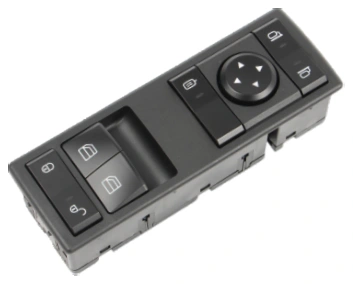
Power Window Switches
Power Window Switch — OE A9605450813
PIRANA Part No. HQ-6916 · OE: A9605450813
View product