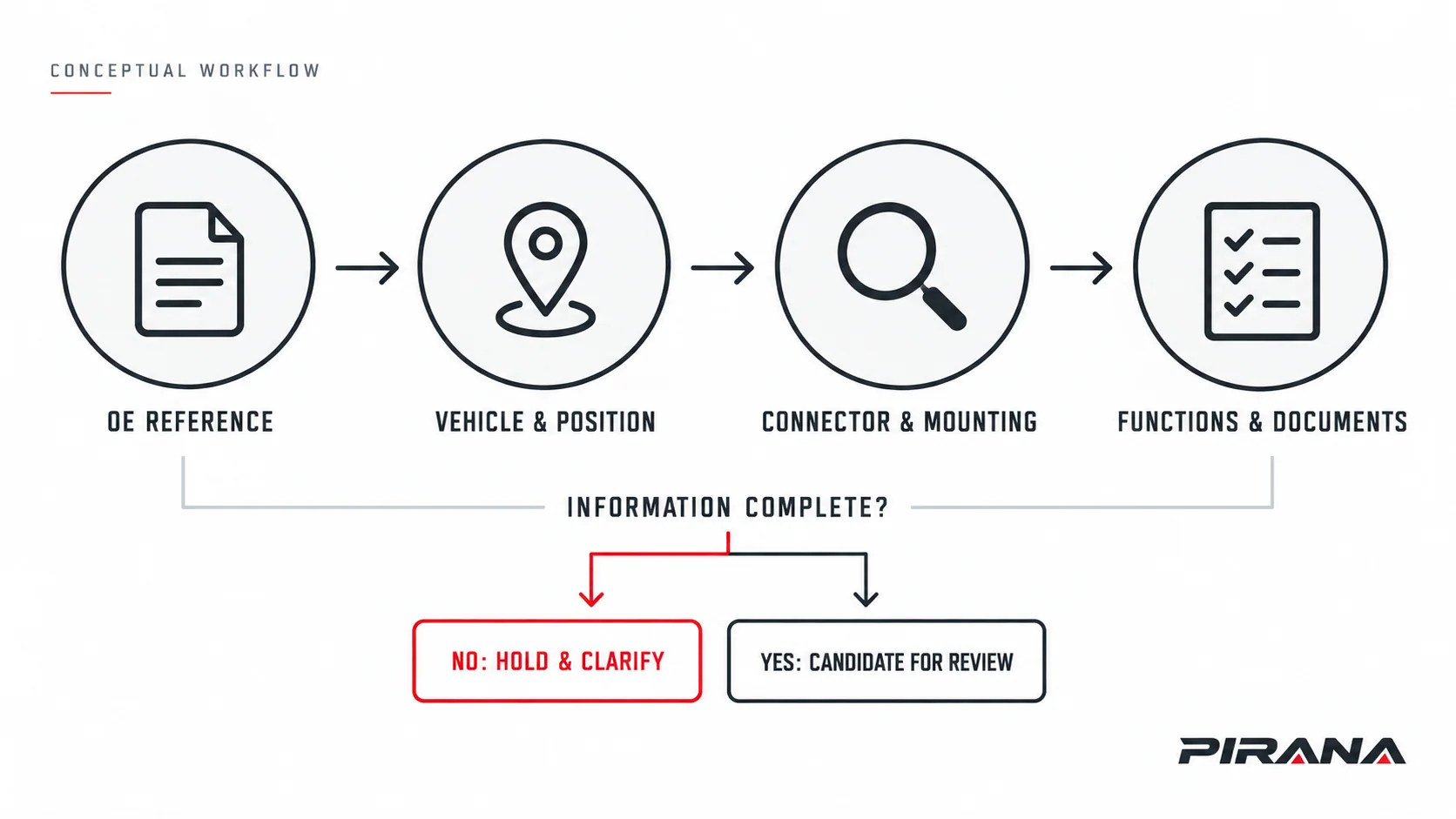
To identify a power window switch, record the complete original equipment (OE) reference, use it to find a catalogue candidate, then compare the rear connector, mounting, vehicle position and operating functions. An OE match narrows the search. It does not, by itself, confirm that an aftermarket switch fits the vehicle or preserves every function.
For distributors, importers and technical purchasers, the useful result is a part-identification record that another person can check. Keep the original reference, candidate supplier part number, photographs and unresolved configuration details together before approving a sample or bulk order.
Start with a reference, finish with a reviewable candidate
Use this sequence rather than selecting a switch from its front photograph:
- Record the original part. Photograph its label and copy the full reference, including letters and suffixes.
- Resolve the vehicle and position. Record the model or platform, relevant production information, steering configuration and installed door position.
- Compare the physical interface. Check the rear connector, keying, populated contacts, housing and mounting features.
- Confirm the required functions. Compare the documented window, lock, mirror and automatic-operation requirements that apply to that vehicle.
- Assign an evidence status. Shortlist a candidate, hold for missing information, or request a different reference. Record what still needs approval.
The PIRANA power window switch catalogue provides an OE-led starting point. Keep the catalogue result separate from the application and configuration checks that follow.
Read the complete power window switch OE number
A supplier part number and an OE reference answer different questions. The supplier number identifies the supplier’s product record. The OE reference identifies the vehicle-manufacturer part relationship being cited. Save both; do not substitute one for the other in a purchase specification.
Keep a photograph of the original label alongside the transcribed number. Preserve prefixes, suffixes and revision information. If a catalogue accepts a punctuation-free search, keep that search copy separate from the original identifier. Do not remove characters to make two references appear to match.
When a listing contains several numbers, ask what connects them:
| Number relationship | What to record | What remains to be established |
|---|---|---|
| OE reference on the original part | Complete identifier and label photograph | Applicable vehicle, position and equipment conditions |
| Supplier cross-reference | Exact supplier part number and the stated OE mapping | Evidence that the proposed product meets the required configuration |
| OEM supersession | Old number, replacement number, direction and source conditions | Whether the replacement applies to the particular vehicle and whether reverse substitution is permitted |
For example, Nissan’s official entry for 25401-EL30A lists 25401ED500 as a replaced number and includes a production-start condition of February 2007. That is a directed OEM catalogue record, not evidence that every aftermarket switch listing either number is interchangeable. Nissan: Window Switch 25401-EL30A.
If the number is missing or unreadable, record that explicitly. Start a catalogue search from the vehicle configuration and original-part photographs; do not invent a number from a similar product image. Where the applicable catalogue requires chassis or vehicle identification details, use those to resolve its production and equipment conditions.
Resolve vehicle position and equipment before comparing the plug
Make and model can be useful filters while still leaving several switch versions. Add the identifiers required by the applicable parts record: generation, build date or model year, market, relevant equipment and any manufacturer-defined production break. Model year and build date are separate fields when the catalogue distinguishes them.
Record position in separate terms:
- Steering configuration: left-hand drive (LHD) or right-hand drive (RHD).
- Physical installation: left or right, front or rear, using the vehicle manufacturer’s convention.
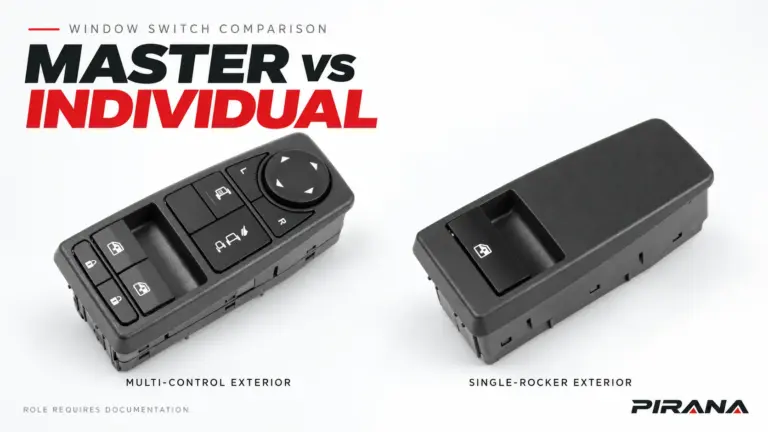
- Control role: master assembly or individual window control, as documented for that application.
“Driver side” cannot safely be converted to “left” without checking the steering configuration. Volvo Cars’ 2021 S60 RHD controls guide places the driver’s power-window controls in the right-hand door. This is a position example for that passenger car, not a Volvo truck fitment statement. Volvo Cars: Driver’s controls in a right-hand-drive S60.
Equipment can also change the reference. Nissan’s front-door catalogue for a 2009 Altima lists separate left switch entries 25401-ZN40C without one-touch and 25401-ZN50C with one-touch. Check the entry’s additional application conditions rather than treating the vehicle selector as approval for every listed part. These Nissan examples do not establish a PIRANA cross-reference. Nissan: 2009 Altima front-door catalogue.
For truck applications, the brand and configuration selection guide helps organize the platform information before the individual part is checked.
Compare the connector as a physical screening check
Ask for a rear photograph that shows the connector opening clearly. Compare the original and candidate in the same orientation; choose a visible feature, such as the latch, as the orientation reference. A reversed or oblique picture can conceal a keying difference or make a contact layout difficult to read.
The following is a photographic comparison method, not a pinout or electrical test:
| Feature | What to compare | What to do if the information is unclear |
|---|---|---|
| Connector quantity and location | Every connector opening and its position on the rear housing | Request a complete rear view, not a cropped close-up alone |
| Mating outline | Overall opening shape, guides and housing profile | Request a straight-on view and the appropriate drawing if needed |
| Keying and latch | Locating ribs, slots, latch shape and latch position | Hold the candidate if those features cannot be compared |
| Cavities and populated contacts | Total visible cavities separately from the contacts actually fitted | Record both counts; do not assume every cavity contains a terminal |
| Contact arrangement | Rows, occupied locations and visible layout in the same orientation | Request a sharper image; do not guess terminal assignments |
| Mounting interface | Clips, tabs, fixing points, rear housing and documented dimensions | Resolve the difference against the applicable part specification |
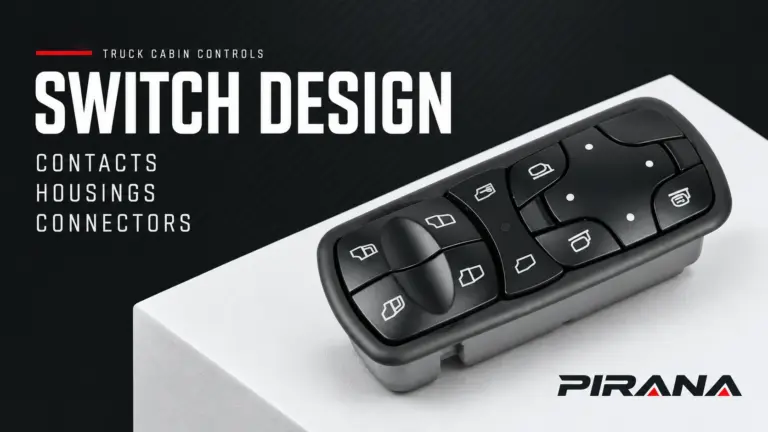
| Front controls | Button layout, legends and the required integrated controls | Compare the documented function list as well as the picture |
An equal cavity count or similar connector outline is a reason to continue checking, not a compatibility certificate. Photographs show visible geometry. They do not establish signal assignments, communication requirements or the application of an undocumented variant.
Keep the mating-face photograph separate from a housing label photograph. A useful image set includes the control face, complete rear housing, connector opening and readable part markings. If the vehicle-side connector is relevant and accessible under the vehicle’s service procedure, its photograph can help resolve an unclear interface; this guide does not provide removal or probing instructions.
Confirm functions that a photograph cannot prove
Make a short function list for the original vehicle configuration. Include only relevant features: the windows controlled, window-lock function, integrated door-lock or mirror controls, illumination, and automatic up/down operation where fitted. Compare that list with the candidate’s approved product information.
An AUTO legend does not establish the complete system behaviour. Mitsubishi’s April 2021 technical bulletin for the 2022 Outlander describes LIN communication between the main switch, window motors and body control module, with anti-pinch functions involving the motor-integrated control electronics. This vehicle-specific example shows why the switch face alone cannot define all replacement requirements; it does not establish the architecture of PIRANA products or other vehicles. Mitsubishi TSB-21-42A-002: Power Window Control System, page 3.
Where initialization, coding or another commissioning requirement is relevant, consult the applicable current vehicle information. Do not infer that requirement, or its absence, from a product photograph. The replacement checklist addresses preparation and verification as a separate task.
If identification began because a window stopped working, distinguish the part search from diagnosis. A symptom is not a confirmed failed switch; use the window-switch diagnosis guide to organize that separate question.
Worked example: an HQ-6901 catalogue candidate
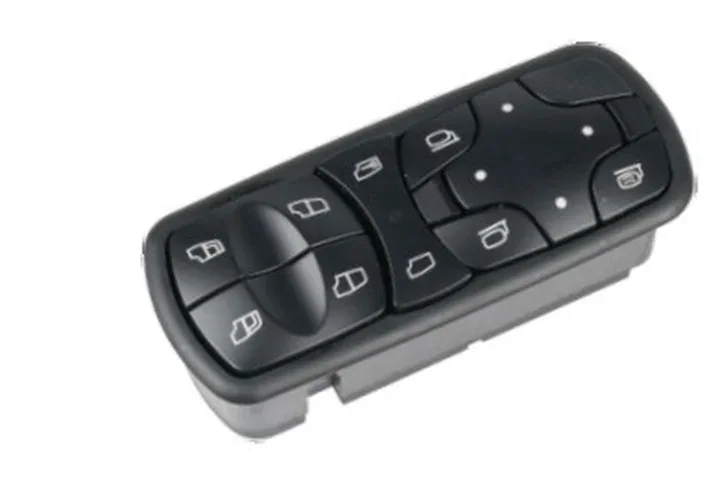
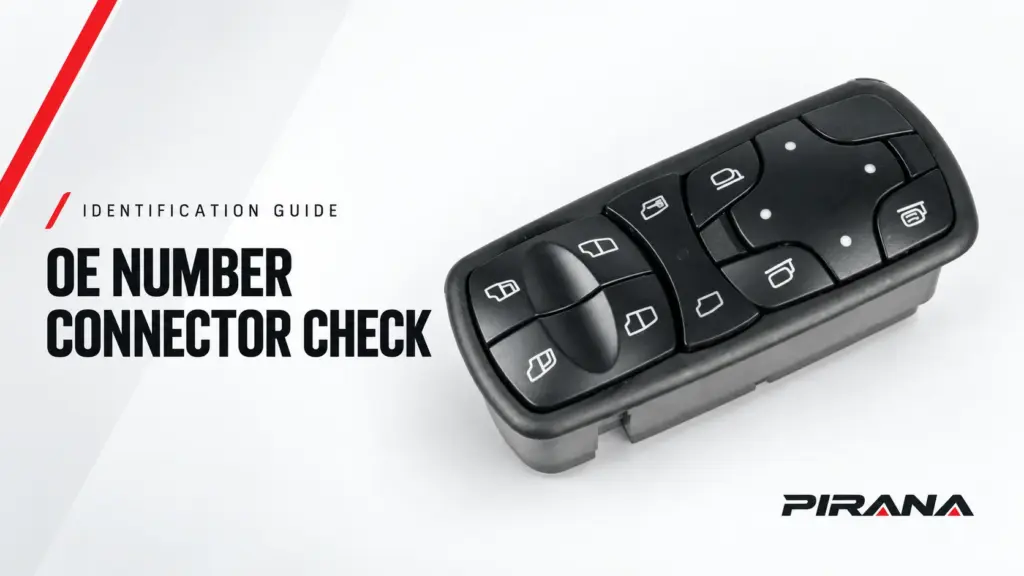
The current PIRANA HQ-6901 product record lists A9438200097 as its OE reference and Mercedes-Benz Actros/Antos/Arocs/Axor as catalogue application information. Its year field remains “To confirm.” Use that record to create a candidate, then preserve the missing information rather than filling it from another seller’s listing.
| Record field | Information available from the cited record | Next identification check |
|---|---|---|
| Supplier identity | PIRANA part number HQ-6901 | Keep this identity with the proposed specification |
| Declared OE reference | A9438200097 | Compare the complete number with the original part and applicable vehicle record |
| Catalogue application | Mercedes-Benz Actros/Antos/Arocs/Axor; year to confirm | Resolve the particular vehicle, generation and production conditions |
| Original-part comparison | Not established by the catalogue entry alone | Supply original label, front, rear and connector photographs |
| Position, interface and required functions | Not confirmed for the buyer’s vehicle in this example | Obtain matching configuration information and supplier review |
This example establishes a catalogue candidate only. It does not assert a validated fitment, a pin arrangement, LHD/RHD availability or retained automatic functions for HQ-6901.
Decide whether to shortlist, hold or approve
Use the same status terms in the enquiry, sample record and reorder file:
| Status | When to use it | Next action |
|---|---|---|
| Hold for identification | The original reference is unreadable, decisive configuration details are missing, or photographs cannot resolve the interface | Gather the specific missing record or image |
| Candidate for review | A documented catalogue reference has been found and the visible checks have been recorded, but application or function evidence remains incomplete | Request the matching product/application information and review it |
| Different candidate required | A relevant reference, documented function, mounting or interface requirement conflicts with the proposed item | Resolve the conflict or request the appropriate variant |
| Approved for a defined application | The applicable vehicle requirement and exact supplier product/configuration have been reviewed, and the required sample or validation checks have been completed under the agreed approval plan | Record the approved scope, sample/product version and any conditions |
The final status belongs to a defined application and approval record. It must not expand into “fits all” simply because the reference appears in several listings. For repeat orders, retain the approved identity and configuration; review any proposed connector, function or product-version change against that record.
Use one identification record for the enquiry
Copy and complete this record. Use unknown for missing facts and name the evidence needed to resolve them.
Original OE/reference, copied exactly:
Original label photograph:
Candidate supplier and part number:
Number relationship/source, including any supersession direction:
Vehicle make, model/platform and relevant production information:
Destination/application market:
LHD/RHD and physical door position:
Master/individual control role:
Required window, lock, mirror and automatic functions:
Original front, full rear and connector photographs:
Candidate connector/drawing reference:
Mounting and interface differences still to resolve:
Vehicle/application documents still needed:
Supplier product/application documents still needed:
Identification status and open questions:
Required quantity for each reference:
To discuss a PIRANA candidate, submit the OE reference and identification information with the photographs, quantities and destination. Specify the unresolved items so the next review can address the actual configuration rather than repeat a front-image search.
References
- Nissan — Window Switch 25401-EL30A: production condition and replacement-number record.
- Volvo Cars — 2021 S60: driver’s controls in a right-hand-drive car, updated May 18, 2020: controls-location example.
- Nissan — 2009 Altima front-door catalogue: switch equipment and position variants.
- Mitsubishi Motors North America — TSB-21-42A-002, April 2021, applicable to the 2022 Outlander: power-window control-system information, page 3.
- PIRANA — HQ-6901 / A9438200097 product record, checked October 7, 2026: manufacturer catalogue information, not independent fitment validation.
REFERENCED IN THIS GUIDE
Products mentioned in this article
These published catalogue references are included because they are discussed in this guide. A reference is a starting point for identification; confirm the exact OE number, connector and vehicle configuration before ordering.
Power Window Switches
Power Window Switch — OE A9438200097
PIRANA Part No. HQ-6901 · OE: A9438200097
View product
Power Window Switches
Power Window Switch — OE 22154285 / 22154235
PIRANA Part No. HQ-6913 · OE: 22154285 22154235
View product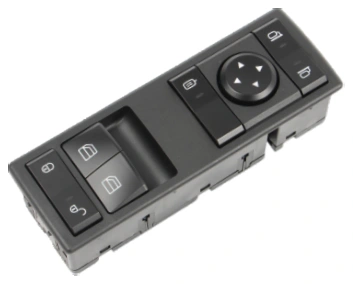
Power Window Switches
Power Window Switch — OE A9605450813
PIRANA Part No. HQ-6916 · OE: A9605450813
View product