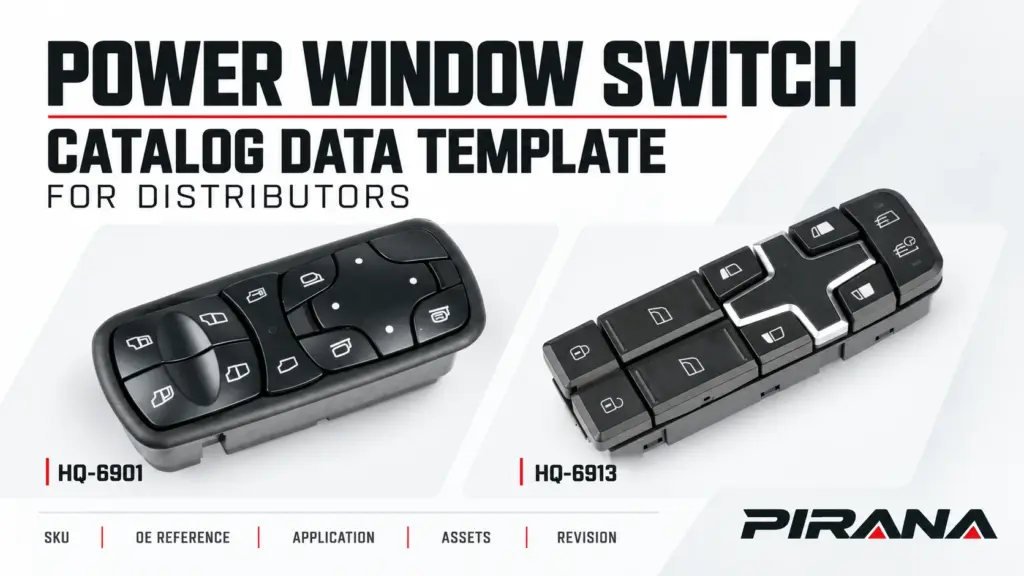
A power window switch catalog data template needs one stable SKU record for each product, with separate linked rows for its OE references, vehicle applications, images and documents. Keep the source, review state and revision with the information being recorded. A complete catalogue row and a verified vehicle application are separate decisions.
Use the field structure below to build that record. The companion Excel template implements it with six sheets, three source-attributed PIRANA examples, dropdowns, linked-row counts and checks for common record errors. It is designed for maintaining product information across orders; prices and quantities for an individual inquiry belong in the transaction record.
The template: six sheets joined by SKU
The SKU is the shared key. Create it once in Catalog, then use the identical text in the related sheets. Each additional OE reference, application or asset gets its own row.
Use this version for one supplier catalogue per workbook. If different suppliers reuse the same SKU, keep their catalogues in separate files. Combining them requires a supplier-aware key and corresponding changes to every related join; the Brand field alone does not change how this template matches records.
| Sheet | One row represents | Fields to keep with that record |
|---|---|---|
| Catalog | One exact supplier SKU | Product name, brand, product revision, catalogue status, owner, source checked, source URL/doc, open questions and any catalogue approval record. |
| OE links | One SKU and one OE reference | Link ID, complete OE reference, link basis, source URL/doc, source checked, evidence state and record revision. An OEM successor needs its own source and conditions. |
| Applications | One SKU and one stated application/configuration | Application ID, declared vehicle application, market, build limits, steering, physical side, door location, control role, functions, interface document, source and evidence state. |
| Assets | One image or document linked to a SKU | Asset ID, kind, view/purpose, file/URL, use rights, asset revision, caption/alt text, source, review date and asset status. |
| Changes | One proposed or decided data change | Change ID, SKU, date, table/field, record key, previous and proposed values, source/evidence, reason, owner and decision. |
| Field guide | Instructions and field definitions | Row rules, entry types, permitted status vocabulary, capacity, extension instructions and the meaning of the calculated checks. |
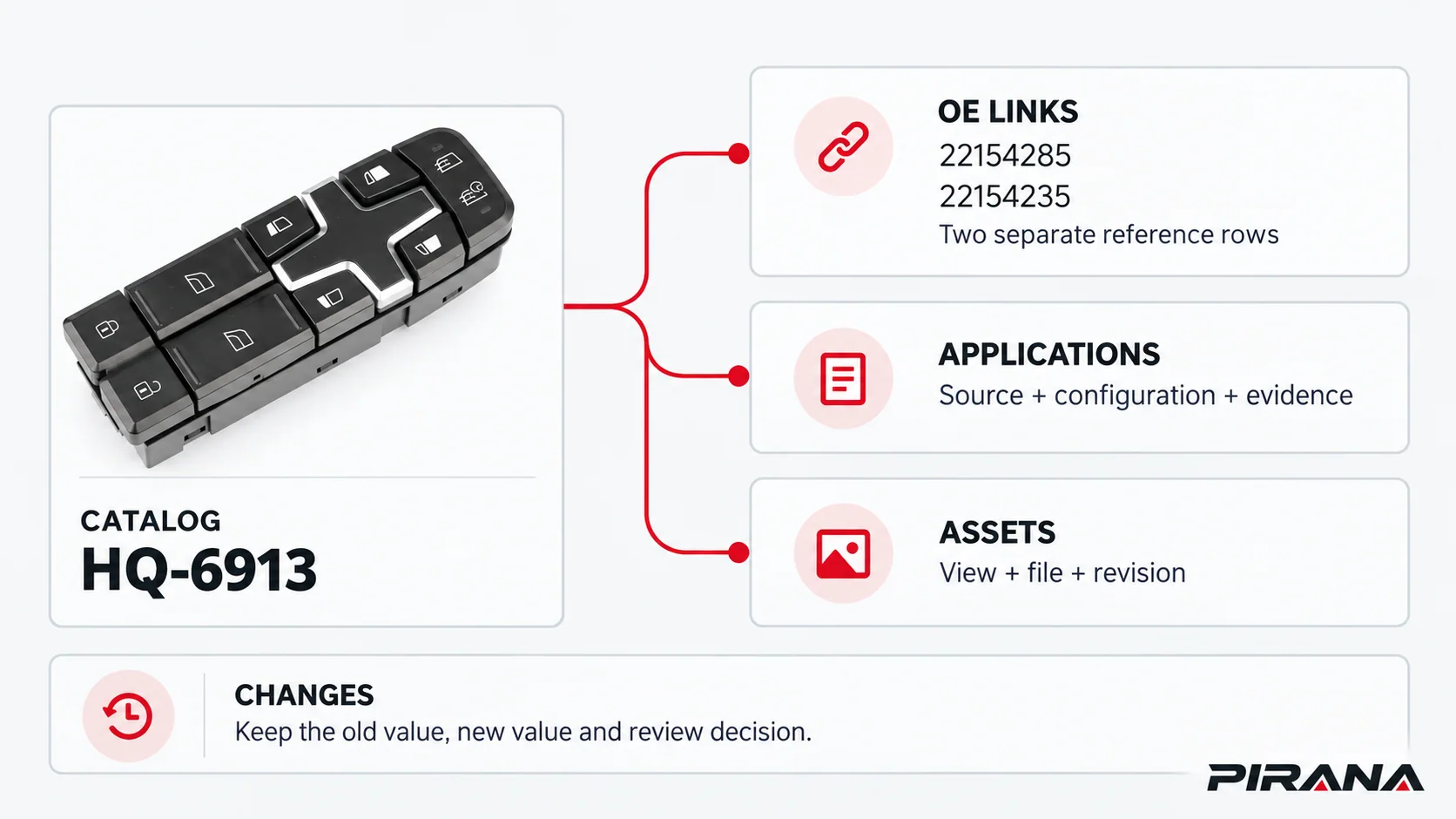
This arrangement lets one SKU have several sourced references without duplicating its product identity. It also keeps an image revision from silently changing a vehicle-application record.
Start with the example rows, then add working records
Read Field guide before entering data. The entry tables have their headers on row 7 and begin on row 8. The supplied rows are marked Example. Keep that label while learning the structure; their source information does not represent a completed distributor approval.
For your own catalogue, enter Working records in unused rows. If you intend to reuse an example SKU, remove its example records consistently across the related sheets first. An example row and a working row with the same SKU would create an ambiguous key.
The reserved space includes the examples: 500 Catalog rows, 1,500 OE-link rows, 1,000 application rows, 1,000 asset rows and 500 change rows. Initially, 497 Catalog rows are blank. If you exceed a reserved range, extend its formulas, validation and the related count/check ranges as described in Field guide; the initial capacity is not an unlimited-database promise.
On Catalog, enter the source and owner information in the input fields. Leave OE rows, Application rows, Asset rows and Data check to calculate. The linked-row counts show whether records exist; they do not establish that those records are accurate or approved.
Preserve identifiers before importing them
Store SKU, OE reference, record IDs and optional OEM successor OE as text. Keep the complete source value, including meaningful letters, leading zeros and suffixes. For example, HQ-6913 and HQ-6913A remain separate product keys.
Microsoft documents that Excel can remove leading zeros and convert long numeric-looking identifiers during entry or import. Set these columns to Text before loading the values. Changing the display format afterward cannot restore characters already lost. Where an import offers column-type choices, set the identifier columns there before loading the data. Microsoft: Keeping leading zeros and large numbers.
If an imported number has changed, recover it from the authoritative source. Do not guess how many zeros or which suffix should be added. If you create a normalized key for a downstream search system, retain the original identifier and document the normalization separately.
Treat unknown facts deliberately. A missing build date stays blank in the typed date field, with the unresolved condition recorded in Open questions or Scope/limits. It must not become a zero date, an assumed year range or a statement that no restriction exists.
Keep OE relationships and application evidence separate
Use one row for each SKU/OE pair in OE links. Repeating an OE reference against different SKUs may be legitimate; a duplicate of the same pair within this template needs review. Do not treat every repeated OE number as an error or as proof that the associated products are interchangeable.
For a supplier catalogue entry, record the link basis and its source. If a separate OEM document establishes that one OE number replaces another, use OEM successor OE, Supersession source and Conditions/scope to retain that directed relationship. A supplier’s co-listed numbers do not populate those fields automatically, and an OEM replacement record alone does not validate the supplier SKU.
Applications carries a different question: what source supports the product’s stated use, and under which configuration? Record steering configuration separately from physical left/right, door position and master/individual control role. Keep required functions and the interface-document reference with that application. A control-face photograph cannot supply an undocumented rear connector or electrical function.
The Auto Care Association distinguishes product information communicated through PIES from application/fitment information communicated through ACES. Its FAQ also explains that the standards do not determine which vehicles a company’s products fit; that application information must be established separately. The same distinction is useful when maintaining these records. Auto Care: Data standards FAQ.
This workbook is a distributor working template. A trading partner’s ACES, PIES, marketplace or ERP import requires its own field mapping, format and acceptance checks. Auto Care describes PIES as a structured product-information exchange standard; an ordinary Excel workbook is not automatically a PIES deliverable. Auto Care: PIES overview.
Worked catalogue example: three SKUs, five OE-link rows
The examples use current entries from the PIRANA power window switch catalogue, checked on October 25, 2026. The OE links should be recorded as follows:
| SKU | OE reference | Evidence available for this row |
|---|---|---|
| HQ-6901 | A9438200097 | Listed in the PIRANA product record. |
| HQ-6913 | 22154285 | Listed in the PIRANA product record. |
| HQ-6913 | 22154235 | A second listed reference, recorded on a separate row. |
| HQ-6913A | 21489837 | Listed under its own SKU, retaining the A suffix. |
| HQ-6913A | 22154277 | A second reference for HQ-6913A, recorded separately. |
The public product pages leave the year field “To confirm.” Their application wording is a supplier catalogue declaration. Preserve that wording and its source; do not turn a model string into independently confirmed build-date coverage. Product revision, steering, position, functions and any missing interface evidence remain unresolved in these example records.
For HQ-6913, the two OE-link rows do not establish a supersession direction. The example’s optional successor fields remain empty. HQ-6913A retains a separate Catalog row and its own linked records even though the product names and vehicle-family wording are similar.
The sample asset records identify the published catalogue views. Record each view honestly. A front-view file should not be labelled as a connector drawing, and an editorial illustration should not be stored as an unaltered evidence photograph.
Import a batch and review the actual record issues
Use a working copy for the first import:
- Review the source headings. Map each supplier field to its owning sheet. Do not put a list of OE numbers or image paths into a single cell when each item needs a separate source or revision.
- Load Catalog identities first. Preserve the text keys and check exact duplicates before adding related rows.
- Add OE, application and asset rows. Use the same SKU text. Keep sources and checked dates with the facts they support.
- Inspect each Data check column. Resolve the specific missing input or conflicting key. Check both the first and last imported rows so pasted data has not extended beyond the reserved ranges.
- Review status values and open questions manually. Keep uncertain applications unverified and assign responsibility for the missing evidence.
- Check a small export. Compare its identifiers, relationship rows and blank/unknown handling with the original records before a larger transfer.
The workbook’s messages identify issues such as Duplicate SKU, SKU missing or duplicated, Duplicate SKU/OE pair and Add supersession source. Each Data check cell reports the first issue found by its formula, so resolve that issue and recalculate before checking the next. A neutral message such as Review source and open questions asks for further review; it does not mean the product fits a vehicle or that all publication decisions are complete.
Dropdowns assist direct entry. They do not make imported or pasted data safe by themselves. Microsoft explains that copying, filling and other entry methods can bypass validation messages, so review the stored values and the relevant record checks after an import. Microsoft: Display or hide circles around invalid data.
As a simple practice check, copy the HQ-6913 input fields into an unused Catalog row in a disposable workbook copy without changing its SKU. The duplicate-key warning should appear. Clear the test inputs after checking the result, preserving the calculated columns. This tests the workbook’s record handling; it is not a product-validation exercise.
Log a proposed change before replacing the current value
The Changes sheet contains one explicitly hypothetical administrative example. CHANGE-EX-1 proposes changing the file-path field for ASSET-EX-1, associated with HQ-6901:
| Change field | Example value |
|---|---|
| Table/field | Assets.File/URL |
| Previous value | hq-6901-front-r1.webp |
| Proposed value | hq-6901-front-r2.webp |
| Reason | Administrative image-path revision; no changed fitment is claimed. |
| Decision | Proposed; no decision date is entered. |
These two names are teaching examples, not actual delivered files or public download addresses. The real sample asset row continues to point to the original published image. The proposed change has an unassigned owner, so it remains incomplete.
For a real change, identify the affected record key, capture the old and proposed values, attach the source/evidence and name an owner. Record the review decision and date before updating the current record. Keep the earlier change entry so another person can reconstruct what happened. A filename edit changes an asset record; it does not establish a physical product revision or justify changing fitment evidence.
Separate catalogue release from fitment approval
Use Catalogue status, Approved by and Approval date for the product-data release decision. Keep application evidence and its reviewer in Applications, and asset reuse/review information in Assets. These records answer different questions.
Before handing a catalogue extract to a colleague or trading partner, check that:
- The extract distinguishes Example records from Working records and preserves the exact product keys.
- Each included OE, application and asset row has a traceable source and an appropriate review state.
- Unresolved conditions remain visible rather than being filled from a similar product’s listing.
- Any approved data release has the required human record, and pending changes remain pending.
- The receiving system’s field mapping, text handling and treatment of blank values have been checked.
When the original part itself is still uncertain, use the OE-number identification guide to resolve that separate task before promoting its information into the catalogue. Maintaining the data preserves the evidence and decisions already made; it cannot create missing application evidence.
References
- Microsoft Support — Keeping leading zeros and large numbers: identifier handling before entry or import.
- Auto Care Association — Frequently Asked Questions: Data Standards: product/application data distinction and application-data responsibility.
- Auto Care Association — Product Information Exchange Standard overview: structured product-information exchange.
- PIRANA — HQ-6901, HQ-6913 and HQ-6913A, checked October 25, 2026: supplier catalogue declarations used for the example records.
- Microsoft Support — Display or hide circles around invalid data: limits of data-validation messages.