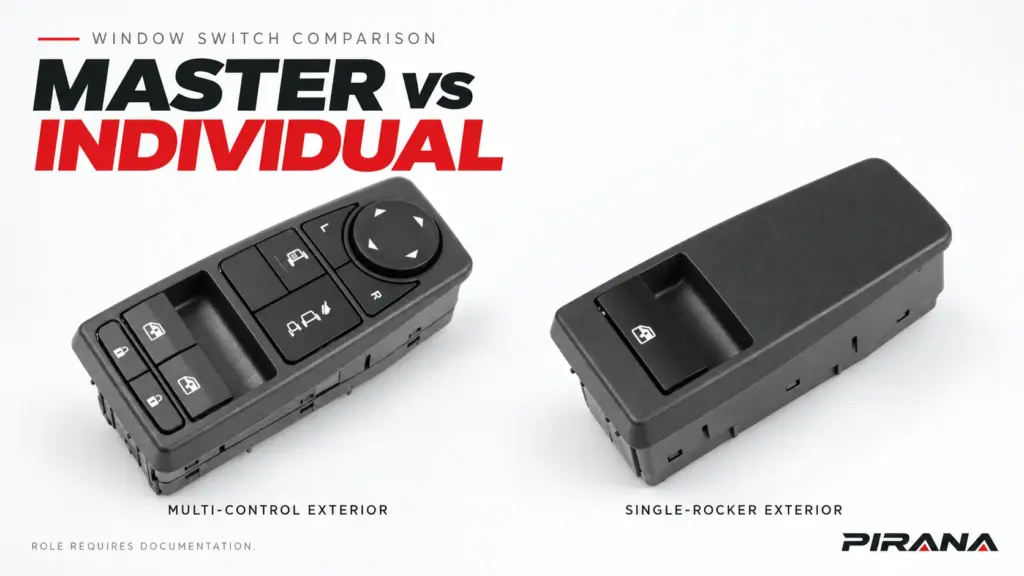
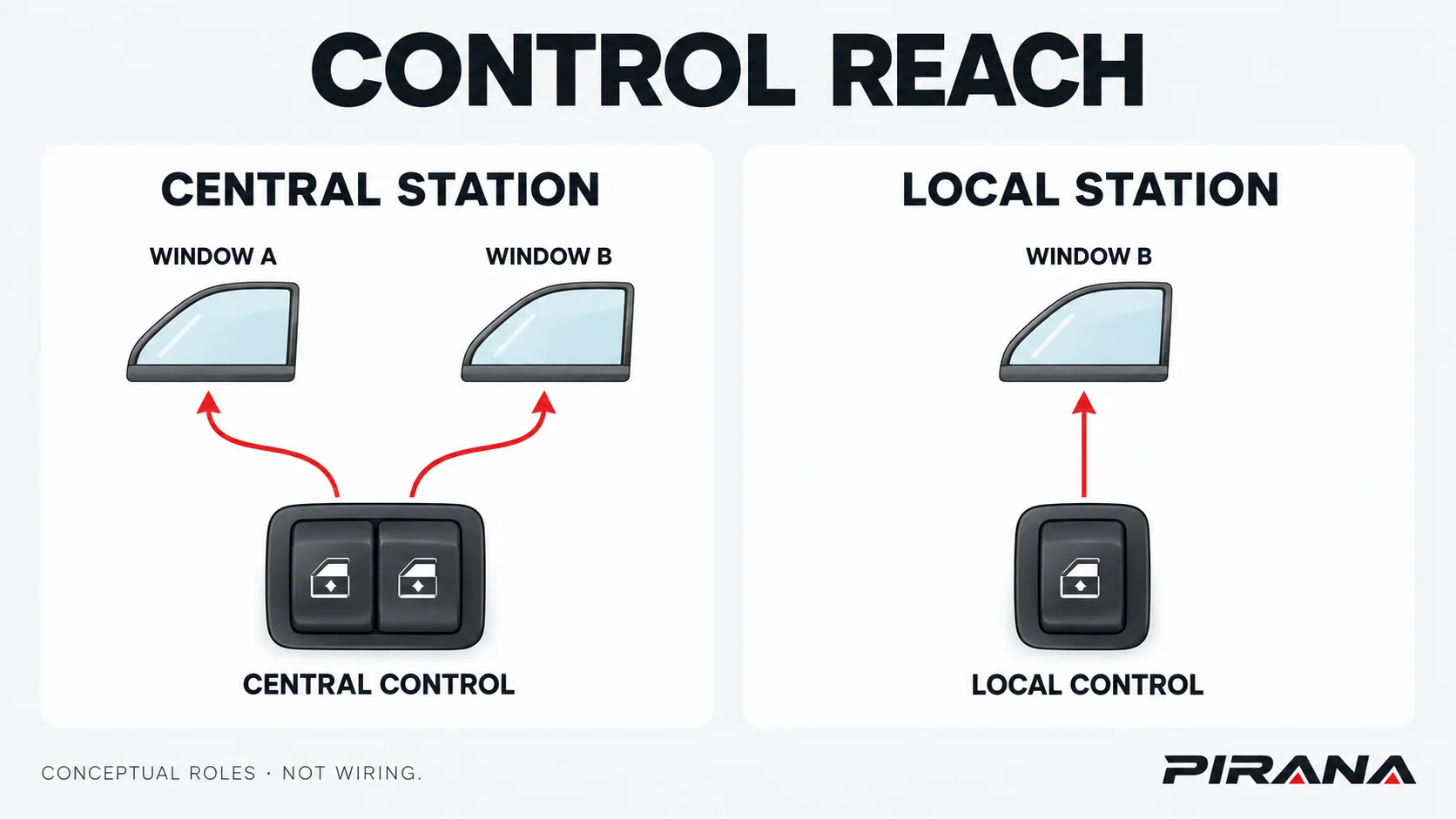
A master window control operates multiple windows from one control station. An individual, or local, window control operates its assigned window. These names describe control reach; they do not establish the physical door side, automatic features, electrical interface or replacement part number.
Choose the required role first, then compare the complete assembly and its documented functions. A multi-button panel and a single rocker are useful visual clues, but button count cannot approve a substitute. For aftermarket buyers, the result should be a defined control requirement and a traceable candidate—not a presumed match from “driver side” or “passenger side.”
Compare the roles on the same basis
The functional contrast is centralized control versus local control. A two-window truck can have a multi-window driver station without the four-window panel familiar from a passenger car. The actual vehicle determines which channels, features and operating conditions belong to each station.
| Comparison point | Master / central control | Individual / local control | Consequence for selection |
|---|---|---|---|
| Windows commanded | Multiple specified windows from one station | Its assigned window | Record the actual controlled windows, not an assumed button count |
| Physical location | The documented central-control location | The documented local-control location | Role does not replace the steering and door-position record |
| Supplied item | May be a complete panel, module or separately listed switch item | May be a switch item or part of a larger assembly | Match the service item being ordered, not just the visible control |
| Automatic operation | Depends on the equipped channels and system | Must be checked for the actual local control | Neither name establishes AUTO up/down or anti-pinch behavior |
| Other functions | Specify any included mirror, lock or other controls | Check the complete local assembly’s required functions | A shared window function does not cover every integrated feature |
| Electrical relationship | Defined by the vehicle’s circuit and part records | Defined by the same applicable system records | “Master” does not prove a universal power or communication hierarchy |
| Substitution | Requires the correct role, variant and interface | Requires the correct role, variant and interface | A same-role label is only one field in a compatibility decision |
These are comparison questions, not specifications for every vehicle. The following official examples show why the feature rows must remain separate from the role names.
What documented commercial-vehicle controls actually do
DTNA’s Cascadia Driver’s Manual STI-478, revised 11 February 2025, describes driver-door controls for the driver and passenger windows, plus a passenger-door control for the passenger window. Its driver-side panel illustration also identifies mirror-direction and mirror-selector controls. This example covers the CA113/CA125 configurations identified by that manual; it does not assign a PIRANA SKU to those trucks. See Cascadia, Windows and Mirrors, printed p. 176.
Nissan’s 2018 NV200 Compact Cargo Owner’s Manual, pp. 2-30–2-32, describes a driver panel operating the vehicle’s windows and a passenger control operating its corresponding window. It also documents a window lock and channel-specific automatic features. This is a separate commercial-vehicle example, not a universal truck configuration. See the NV200 Windows section.
| Documented feature | Cascadia STI-478 example | 2018 NV200 example |
|---|---|---|
| Driver station | Separate driver- and passenger-window controls | Driver panel can operate the vehicle’s windows |
| Passenger station | Controls passenger window | Controls its corresponding window |
| Other named driver-panel equipment | Mirror-direction and mirror-selector controls | Window lock; door-lock control if equipped |
| Automatic-feature evidence | Express lowering described in the windows section | Driver- and passenger-side automatic channels identified on the driver panel |
| Electrical interchangeability | Not established by this operating description | Not established by this operating description |
This comparison answers two different questions. Which station controls which window? determines the role. Which features and interfaces must the replacement retain? determines the required variant. The operating manual can answer the first and some feature questions; exact parts and interface records are still needed for the second.
Automatic operation and lockout need their own comparison
Do not make “master” a synonym for automatic or treat “individual” as proof of manual-only operation. Specify automatic down and automatic up separately for each relevant window and station. Retain the documented anti-pinch and commissioning requirements as separate system questions.
Feature allocation varies. Renault’s Express electric-window instructions, for the displayed 15 July 2020–16 March 2025 manual range, describe driver controls for both windows and a local passenger control. Where one-touch equipment is fitted, the page assigns it only to the driver’s window. This is a scoped contrast in automatic-feature allocation, rather than a different definition of central and local roles. See Renault Express: Electric windows.
Lockout behavior also needs the actual vehicle rule. In the cited NV200 manual, depressing the window lock permits only the driver-side window to operate. Do not replace that condition with a general assumption that the driver panel can always override a locked passenger window. The manual’s automatic-channel labels likewise do not establish that the separate passenger-door switch itself has automatic operation. See NV200, pp. 2-30–2-32.
For a replacement enquiry, write the required behavior explicitly: which window, from which station, manual or automatic in each direction, and which lock interaction applies. A visible AUTO legend is not a complete functional specification. Installation and any applicable initialization or coding belong to the replacement and verification guide and the actual vehicle’s service information; no universal reset procedure follows from this comparison.
Compare real product exteriors without inventing their roles
PIRANA’s catalogue provides two useful exterior examples: HQ-6918B and HQ-6919B. Their visible control provision differs substantially, but the public product records do not establish an exact master/passenger assignment or a controlled rear-interface map.
| Evidence available | HQ-6918B | HQ-6919B |
|---|---|---|
| Product record | 81258067093 catalogue page | 81258067095 catalogue page |
| PIRANA-listed OE references | 81258067093 / 81258067108 | 81258067095 / 81258067066 / 81258067112 / 81258067083 |
| Visible exterior | Multiple rocker/button areas and a circular directional control | One recessed window-symbol rocker and a large blank panel area |
| Exact role and integrated functions | Require the applicable functional/application record | Require the applicable functional/application record |
| Rear electrical interface and automatic behavior | Not established by the displayed exterior | Not established by the displayed exterior |
The catalogue declares MAN applications for these references, with different series wording and a separate year field marked “To confirm.” Keep those declarations attached to their individual records. Shared styling or overlapping series names do not make them a matched vehicle set or substitutes.
The visible contrast helps a buyer ask a better question: does the required assembly contain several controls, or is the order for a local control with fewer visible functions? It does not justify relabelling HQ-6918B as a confirmed master part or HQ-6919B as a confirmed passenger part. Nor can the directional control alone establish exact mirror functions, terminal assignments or system compatibility.
The OEM examples above establish their own vehicle functions. They do not validate either PIRANA reference for Cascadia, NV200 or Express applications. Use the PIRANA power window switch catalogue for candidate discovery and the exact product record for supporting information.
Keep role, door position and service item separate
“Driver,” “left” and “master” answer different questions. Record left-hand drive (LHD) or right-hand drive (RHD), the physical door side and the control role independently. Do not mirror a product image or infer steering configuration from adjacent part numbers or suffixes.
Also distinguish the control station from the item supplied. A driver’s station may contain several functions, but the parts record determines whether an enquiry requires a complete panel, an electronic assembly, a separate switch or another service item. The local control’s smaller visible function set does not prove a simpler electrical interface.
Before comparing candidates, name the order boundary: “complete panel retaining these documented functions” or “the separately listed local-window control at this position.” Obtain the corresponding parts and interface records. For the full original-equipment (OE) reference and connector workflow, use the OE-number identification guide; for platform and configuration checks, use the truck-brand selection guide.
Make a bounded role and fitment decision
Use the functional comparison to choose the category, then check whether the evidence supports the candidate. A requirement for central control cannot be satisfied merely by a part that operates one window; conversely, a multi-control exterior does not establish that it performs the required central role.
| Finding | What the comparison establishes | Next decision |
|---|---|---|
| The requirement is to operate several windows from one station | A central/master control role is required | Seek the exact assembly and all required integrated functions |
| The requirement is to operate the assigned window locally | A local/individual control role is required | Identify the actual local service item and its documented behavior |
| A candidate has the required role but conflicts on an integrated function or interface | Role match has not produced a suitable variant | Request another documented candidate; do not adapt the vehicle from appearance |
| Role, automatic features or terminal functions remain unknown | A visible or catalogue candidate exists, but approval is incomplete | Hold for the specific missing record |
| Applicable vehicle and exact part/version records align, with required validation complete | The candidate can be approved within that recorded scope | Retain the configuration and approval evidence; do not expand to a whole brand |
Keep a concise comparison record: required control reach; exact station and door; complete assembly/service-item scope; integrated functions; automatic behavior by channel and station; original and candidate references; interface evidence; and unresolved differences. This is more useful than an enquiry that says only “master switch” or “passenger switch.”
Send that record with original front, rear and connector photographs, the relevant vehicle configuration, quantities and destination through the PIRANA parts enquiry route. Request confirmation of the unresolved role, feature or interface—not an automatic compatibility conclusion from the product image.
References
- Daimler Truck North America — Cascadia Driver’s Manual, STI-478, revised 11 February 2025, printed p. 176, Windows and Mirrors; CA113/CA125 configurations identified in that manual.
- Nissan — 2018 NV200 Compact Cargo Owner’s Manual, pp. 2-30–2-32.
- Renault — Express: Electric windows, displayed manual range 15 July 2020–16 March 2025.
- PIRANA catalogue records — HQ-6918B / 81258067093 and HQ-6919B / 81258067095, checked 22 October 2026; catalogue declarations and visible exterior evidence, not verified interchangeability.
REFERENCED IN THIS GUIDE
Products mentioned in this article
These published catalogue references are included because they are discussed in this guide. A reference is a starting point for identification; confirm the exact OE number, connector and vehicle configuration before ordering.
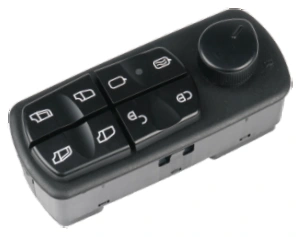
Power Window Switches
Power Window Switch — OE A0035455913 / A0045455913
PIRANA Part No. HQ-6903 · OE: A0035455913 A0045455913 A0015451204 A0025455913 A0015455913 A0055452813
View product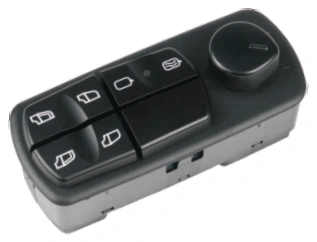
Power Window Switches
Power Window Switch — OE A0035455113 / A0045455113
PIRANA Part No. HQ-6904 · OE: A0035455113 A0045455113 A0025455113 A0015455113
View product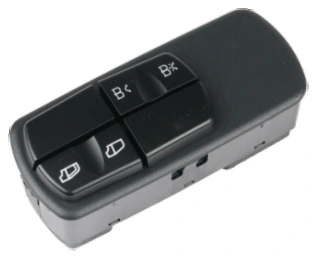
Power Window Switches
Power Window Switch — OE A0035452013 / A0025452013
PIRANA Part No. HQ-6905 · OE: A0035452013 A0025452013 A0045452013 A0015452013
View product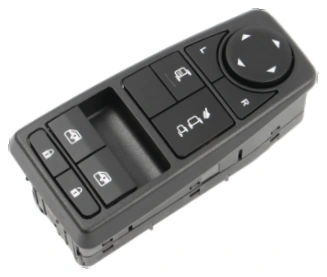
Power Window Switches
Power Window Switch — OE 81258067093 / 81258067108
PIRANA Part No. HQ-6918B · OE: 81258067093 81258067108
View product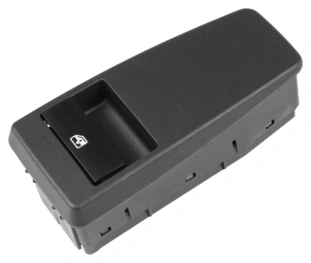
Power Window Switches
Power Window Switch — OE 81258067095 / 81258067066
PIRANA Part No. HQ-6919B · OE: 81258067095 81258067066 81258067112 81258067083
View product